Definition and traceability
The NucleOSS Dental Implant System is an in-bone dental implant system with dental implants and related abutments, healing caps and surgical instruments. It is compatible with T6 and T6 Torq Superstructures, T6 and T6 Torq Dental Implants and the T6 and T6 Torq Surgical Set. Failure situations that may occur as a result of use with different systems may harm the patient. The product label gives the product code, specification and production date.
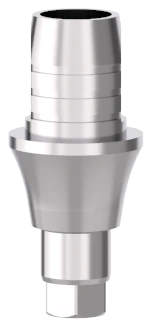
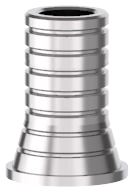
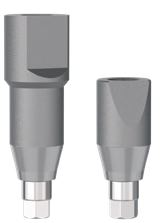
NucleOSS T6 and T6 Torq superstructures are prefabricated prosthetic components directly connected to endoosseous dental implants and are intended to be used as an aid in prosthetic rehabilitation. The system offers a wide range of superstructure options for different purposes with all bodies, including cemented, screwed, customised, removable prosthesis, cad-cam solutions and scan bodies, as well as auxiliary prosthetic parts and temporary parts.
CAD-CAM abutments are placed on dental implants to provide support for prosthetic reconstructions such as crowns or bridges. See the catalogue for the superstructures compatible with the platform diameter and length of the abutments.
Each superstructure package has a lot number on it, and there are three lot number labels inside each body pack. For retrospective traceability, it is strongly recommended that these labels are kept in the patient’s file together with the panoramic X-ray.
Intended use and target users
Intended use: the NucleOSS T6 and T6 Torq Dental Implant Systems are designed for use in dentistry. NucleOSS abutments and prosthetic parts are medical devices used to support mandibular and/or maxillary crown-bridge or superstructures in patients with total or partial prosthesis indications.
Target patient population: people with adult jaw structure where none of the contraindications for dental implantation apply. Target users: dentists licensed in dentistry.
Contraindications
- High blood pressure, cardiovascular disease, diabetes, bone metabolism disorders, uncontrolled bleeding disorders, inadequate wound healing capacity, inadequate oral hygiene, serious internal medical problems, incomplete development of the upper and lower jaw, poor general health, uncooperative and unmotivated patients, drug, alcohol or smoking addiction, psychoses, functional disorders resistant to long-term treatment, xerostomia (dry mouth), granulocytopenia (lack of white blood cells), Ehlers Danlos syndrome, radiation therapy, osteoradionecrosis, weakened immune system, renal failure, organ transplantation, fibrous dysplasia, crohn’s disease, steroid, corticosteroid or anticonvulsant use, prophylactic antibiotics, creatinine, serum calcium, titanium allergy, uncontrolled endocrine disorders, anticoagulation drugs, haemorrhagic diathesis, bruxism, parafunctional habits, unfavourable anatomical bone conditions, uncontrolled periodontitis, temporo-mandibular joint disorders, treatable pathological diseases of the mandible or changes in the oral mucosa, pregnancy, breastfeeding, osteoporotic fracture, respiratory disease, thyroid or parathyroid diseases.
- Patients with active osteolytic, inflammation, diagnosed malignancy, nodular growths, tenderness, unexplained swelling of the head or neck, infectious conditions at the implant site.
- Unrealistic patient expectations.
- Unattainable prosthetic reconstructions.
- Inadequate training of the practitioner.
Warnings and precautions
Observance of precautions and warnings ensures safe handling and application.
- Use of the NucleOSS brand and sale of NucleOSS Dental Abutment System products are restricted to NucleOSS and its business partners.
- All models in the NucleOSS Dental Abutment system (T6, T6 TORQ) should be applied according to NucleOSS Surgical and Prosthetic protocols.
- It should be kept out of the reach of children.
- The abutment suitable for the patient’s oral structure should be used with the appropriate dental implant.
- The patient should be informed before and after the surgical operation.
- Abutments with damaged packaging should not be used.
- Make sure that the patient’s health condition is suitable for the operation.
- Abutments are sold as non-sterile. Before use, they must be sterilised by the user as specified in the instructions for use.
- Previously used abutments cannot be reused.
- If the superstructures are tightened more or less than the specified torque values, it may cause the abutments and/or implants to fail.
NucleOSS superstructures are medical devices that do not require installation. It is strongly recommended that specialists who will use NucleOSS superstructures for the first time receive training from NucleOSS. If users need more information about the product, they can contact NucleOSS dealers or representatives, or e-mail info@nucleoss.com.
Points to consider
If the following warnings and precautions are not observed, complications may occur, such as the part entering the windpipe or swallowing the part.
During placement of the product, the dentist and auxiliary personnel must use appropriate personal protective equipment (PPE) to prevent the risk of interpersonal infection. The procedure should not be performed without gloves and masks.
For dental technicians:
- When polishing the abutments, ensure that the part entering the implant is protected, or perform this process with the abutment attached to the implant analogue.
- Place the abutment on the model by checking the correct orientation and make sure it is fully seated.
- The abutment must be fixed with the abutment screw provided and tightened in accordance with the torque value given in the torque value table.
- After this stage, the prosthesis suitable for the treatment should be created and removed from the model with the help of the correct hex key.
For dentists:
- The clinician should take the abutments from the laboratory and remove the temporary restorations, closure screws or healing caps from the patient’s mouth.
- After cleaning, disinfecting and sterilising the prosthetic parts from the laboratory, the clinician should apply them to the patient’s mouth by tightening them with a tightening piece according to the specified torques.
Before surgery: a clinical and radiological examination of the patient should be performed preoperatively to determine whether the patient is suitable for treatment and to determine his/her psychological and physical condition.
Special attention should be paid to patients with localised or systemic factors that may interfere with the bone or soft tissue healing process or the osseointegration process (e.g. smoking, poor oral hygiene, uncontrolled diabetes, facial radiotherapy, infections in the lateral tooth or bone, bisphosphonate therapy).
The device has not been evaluated in paediatric/adolescent patients and is not recommended for use in children.
Surgery: all components, devices and instruments used during the procedure must be kept in good condition, and care must be taken to ensure that the instrumentation does not damage implants, superstructures or other components. Following implant placement, the surgeon’s assessment of bone quality and primary stability determines when the implants can be loaded. The choice of superstructure and the time of application should be evaluated.
After surgery: to ensure a long-term treatment outcome, regular comprehensive patient follow-up after implant treatment is recommended, together with the necessary information on proper oral hygiene.
Residual risks and side effects
The clinical outcome of dental treatment can be influenced by many variables. Possible residual risks and side effects may occur during or after the operation:
- Pain, swelling, phonetic difficulties, gingivitis.
- Dental implants, permanent paresthesia, dysesthesia, marginal bone loss, localised or systemic infections, oroantral or oronasal fistula, disruption of adjacent teeth, irreversible damage to adjacent teeth, implant fractures in the jaw, bone or prosthesis, nerve damage, exfoliation, chronic pain associated with hyperplasia, implant failure, fractures in the neck area where the implant and abutment meet, screw loosening or fracture, abutment fracture, abutment compression into the implant.
Materials
CAD-CAM abutments of the NucleOSS Dental Implant System are produced from Grade-23 titanium alloy according to the ISO 5832-3 standard and are sold non-sterile. They must be sterilised before use by the end user. Chemical composition of the titanium alloy:
| N | C | Al | O | Fe | V | H | Ti | |
|---|---|---|---|---|---|---|---|---|
| max | 0.05 | 0.08 | 6.75 | 0.20 | 0.30 | 4.50 | 0.015 | Balance |
| min | 0.00 | 0.00 | 5.50 | 0.00 | 0.00 | 3.50 | 0.00 | Balance |
Compatibility and Basic UDI-DI
The abutments are compatible with T6 and T6 Torq Superstructures, T6 and T6 Torq Dental Implants and the T6 and T6 Torq Surgical Set. Basic UDI-DI codes:
The procedure figures also show the multi unit TiBase abutment (No Hex), T6 32813, and the occlusal screw, T6 16009.
| Reference | Description |
|---|---|
| 869938335CTAYH | Basic UDI-DI: Cad-Cam Ti-Base Abutment |
| 869938335CCTATM | Basic UDI-DI: Cad-Cam Cerec Ti-Base Abutment |
Procedure
Final prosthetic treatment with an implant can only be performed after the soft tissue has healed and is free of inflammation. The clinician selects the abutment based on the patient’s individual situation. Abutment choice depends on implant diameter and mucosal thickness. Great care should be taken in choosing the abutment according to the diameter and angularity of the implant, as well as the gingival height.
Digital solutions Ti-base abutments
Use by the dentist (steps 1 to 4), then the technician (steps 5 to 10), then the dentist again (steps 11 to 13).
- Dentist: before placing the abutment on the implant, remove the healing cap or temporary abutment and clean the inside of the implant.
- Dentist: in digital solutions, use scanning parts to take an intraoral scan of the patient.
- Dentist: connect the scan part to the implant with the M.1.6 connecting screw using a Hex wrench. The flat surface on the part shows the Hex direction of the implant to which it is connected.
- Dentist: an intraoral scan is performed and the jaw model is transferred to the digital environment. All digital library files of NucleOSS Cad/Cam parts can be used in exocad, 3shape or dentalwings dental design programs. Note: updated versions of Cad/Cam files can be downloaded and used free of charge from www.nucleoss.com.
- Technician: after the intraoral scan, the 3D jaw model is transferred to the digital platform. CAD/CAM Ti-base abutments are placed in place of the scanning part on the digital platform and the dental prosthesis is designed.
- Technician: the 3D dental jaw model and dental prosthesis created on the digital platform are printed and checked.
- Technician: the digital analog 3D jaw model is mounted on the model using the digital analog cover.
- Technician: coating and polishing processes of the 3D dental prosthesis are performed.
- Technician: cement is applied on the Ti-base abutment and adhered to the prosthesis.
- Technician: the created dental prosthesis is mounted on the patient’s 3D jaw model using a digital analog cover.
- Dentist: it is placed on the implant with the hex direction of the abutment facing towards the vestibule.
- Dentist: the connection screw is tightened with a manual hex wrench (by hand) until it holds the implant and the torqueing process begins.
- Dentist: the connection screw is tightened with a manual hex wrench (by hand) until it holds the implant and the torqueing process begins. After that, the connection screw of the Ti-base abutment is torqued up to a maximum of 30 Ncm with the help of a torque rail.
Multi unit CAD/CAM Ti-base abutments
Intraoral scan
- The comfort cap from the patient’s mouth is removed.
- Scan posts are placed on multi unit abutments. Occlusal screws are fixed on the multi unit abutments with the help of a hex driver. The screw of the scanning part is torqued with a maximum of 5 Ncm.
- An intraoral scan is performed and a 3D dental model of the patient’s mouth is created digitally. Scanning posts or abutments designed for NucleOSS digital solutions can be used integrated with dental design programs such as exocad, 3Shape and dentalwings.
Creating a bridge dental prosthesis on a digital platform
- An intraoral scan is performed and the lower jaw model is transferred to the digital platform environment. Multi unit tibase abutments are selected from the program’s library.
- A bridge dental prosthesis is made on multi-unit tibase abutments.
- After the prosthetic teeth are created, checks are made on the patient’s 3D dental model on the digital platform.
Preparation of 3D dental model
- Using 3D resin printers, the dental tooth model created on the digital platform is printed. Multi unit digital analogues and connection screws are prepared for mounting on the 3D dental model.
- Multi unit digital analogues are placed so that the flat surface on them and the flat surface in the 3D dental model coincide with each other.
- Green connection screws are placed on the multi unit digital analogs in the 3D dental model with the help of a manual hex driver, and the analogs are fixed to the model.
Preparation of bridge dental prosthesis
- The bridge prosthesis designed on the digital platform is tested on a 3D dental model after going through processes such as engraving and sintering.
- It is prepared to attach multi-unit tibase abutments and occlusal screws to the 3D dental model.
- Multi-unit tibase abutments are placed into the created dental prosthesis and checked. After the necessary corrections are made, cement adhesive is applied into the dental prosthesis. Multi unit tibase abutments are placed and the cement is waited to set. At this stage, be careful not to let the cement get into the tibase abutment.
- After the cement adhesive sets, the created bridge dental prosthesis is placed on the multi-unit analogues in the 3D dental model.
Checking the bridge dental prosthesis
- After the bridge dental prosthesis is placed on the multi unit analogues, occlusal screws are also placed.
- Its compatibility with the teeth on the right and left is checked. After the necessary corrections are made, the bridge dental prosthesis is sent to the clinic to be installed in the patient’s mouth.
Placing the bridge dental prosthesis in the patient’s mouth
- The created bridge dental prosthesis is placed on the multi-unit abutments in the patient’s mouth. Occlusal screws are tightened using a manual hex driver until they hold on to the multi-unit abutments.
- The occlusal screw is tightened with a torque ratchet until it reaches a maximum torque value of 20 Ncm.
- The screw hole in the tooth occlusal is closed with Teflon and filling material is applied and hardened. When it is desired to disassemble the total prosthesis, this material is removed and the screw is removed.
Once the NucleOSS abutment is secured to the implant with the specified torque, it should not be removed.
Caution: applying torque higher than the recommended torque may result in failure of the abutment and/or implant. Less than the recommended torque may result in loosening of the abutment, which may result in abutment and/or implant failure.
This procedure should be considered a minimum guideline; details are given in the NucleOSS Surgical Manual (https://www.nucleoss.com/kaynaklar/download/).
Tightening torques
Tightening torques for the superstructures, including the values used in the procedure. Tightening more or less than the specified values may cause the abutments and/or implants to fail. Maximum values are marked as such.
| What | Torque | Note |
|---|---|---|
| All covers and healing heads | 10 Ncm | By hand or with the ratchet. |
| All Simante abutment screws | 30 Ncm | Maximum. |
| Temporary (PEEK) parts and screws | 10 Ncm | |
| Multi unit bases | 30 Ncm | Maximum. |
| Abutment occlusal screw | 20 Ncm | Maximum 20 Ncm in the procedure. |
| All cap screws | 10 Ncm | |
| All universal cast screws | 30 Ncm | Maximum. |
| Knob abutments | 30 Ncm | Maximum. |
| Equator® abutments | 30 Ncm | Maximum. |
| CAD-CAM Ti-base abutment screws | 30 Ncm | Maximum. |
| Connection screw of the Ti-base abutment (step 13) | 30 Ncm | Torqued up to a maximum of 30 Ncm after hand tightening. |
| Screw of the scanning part on multi unit abutments | 5 Ncm | Torqued with a maximum of 5 Ncm. |
| Occlusal screw of the multi unit bridge prosthesis | 20 Ncm | Tightened with a torque ratchet to a maximum of 20 Ncm. |
Cleaning and disinfection
NucleOSS T6 and T6 Torq superstructures are not sterile when delivered. The product must be cleaned, disinfected and sterilised before the superstructures are placed in the patient’s mouth. Details of the sterilisation process are given below.
- The superstructures are washed inside and outside with a soft bristle brush under running water.
- The superstructures are disinfected with a suitable disinfectant that will not damage the titanium alloy (Gr 23), PEEK and Chrome-Cobalt material.
Sterilisation
All superstructures of the NucleOSS Dental Implant System are offered for sale as non-sterile and must be sterilised before use by the end user. Before sterilisation, place the superstructures separately in sterilisation bags. Sterilisation conditions for titanium superstructures:
| Parameter | Value |
|---|---|
| Method | Moist heat sterilisation according to ISO 17665 |
| Cycle | Pre-vacuum |
| Temperature | 132°C / 270°F |
| Exposure time | 4 minutes |
| Pressure | 2.2 Bar |
| Pre-vacuum | 3 times < 60 mBar |
| Minimum drying time | 30 minutes indoors |
- After sterilisation, the products must be used immediately.
- A minimum valid sterilisation time and temperature is required to achieve a sterility assurance level of 10⁻⁶.
- Note: the sterilisation parameters and methods shown are validated by NucleOSS Dental Implants. According to EN ISO 17665, the ultimate responsibility for the validation of sterilisation techniques and equipment is directly associated with the processor. All autoclaves/sterilisers must be maintained and validated in accordance with EN ISO 17665.
- For implant sterilisation information, refer to the implant user manual.
MR safety information
Non-clinical testing has shown that the NucleOSS Dental Implant System is “Conditional MR”. The patient can be safely scanned with this device immediately after placement under the following conditions:
- 1.5-Tesla and 3-Tesla magnetic static field.
- 4,000-gauss/cm (40 T/m) dimensional gradient magnetic field.
- Maximum reported MR system average specific absorption rate (SAR) for the body 2-W/kg.
Storage and disposal
Improper storage may jeopardise the basic material and design characteristics and may cause the device to malfunction.
Disposal of the device must comply with local regulations and environmental requirements, taking into account different levels of contamination.
Hazardous waste from contaminated devices or sharps must be disposed of in appropriate containers that meet specific technical requirements.
Patient information and clinical benefit
- The patient should be informed about contraindications, warnings, precautions, side effects and complications of NucleOSS dental implant systems.
- There is no residue, leakage or harmful residue on the surface of the device that could harm the user or the patient.
- The patient should be informed about the MRI compatibility of the NucleOSS products used.
- The surgical site should be kept clean before and after the operation, and the patient should be well informed about its cleanliness.
- The area where the implant and superstructure are placed should not be exposed to load with chewing movement in the early period.
- For detailed information, refer to the Patient Information Booklet (https://www.nucleoss.com/hastaya-ozel/).
Expected clinical benefit: patients can expect to have one or more missing teeth replaced and/or crowns restored to restore chewing function as a benefit of treatment.
Reporting serious adverse events and safety summary
With the launch of the European Medical Devices Database, a summary of safety and clinical performance for NucleOSS T6 and T6 Torq bodies will be available at https://ec.europa.eu/tools/eudamed.
In countries with Regulation 2017/745/EU on Medical Devices, if a serious adverse event occurs during or as a result of the use of this device, notify the manufacturer and your national competent authority. Manufacturer contact for reporting: NucleOSS, e-mail info@nucleoss.com. See the full instructions (PDF) for the web address.
Symbols
See the full instructions (PDF) for the symbol graphics.
- Product catalogue number
- Authorised representative
- Product lot number
- Read the operating instructions
- 2nd time not used
- Expiry date
- Do not use if the packaging is damaged
- Manufacturer
- Not sterile
- Prescription use only
- Medical device
- Distributor
- Producer country
- Warnings
- Unique device identifier
- Model number
- MRI safety information
- Importer
- CE marking: the manufacturer’s declaration that the product meets the requirements of the applicable EC legislation; where applicable, the identification number of the Notified Body will follow this symbol
The CE mark is followed by the number 2975.