
How to choose a library
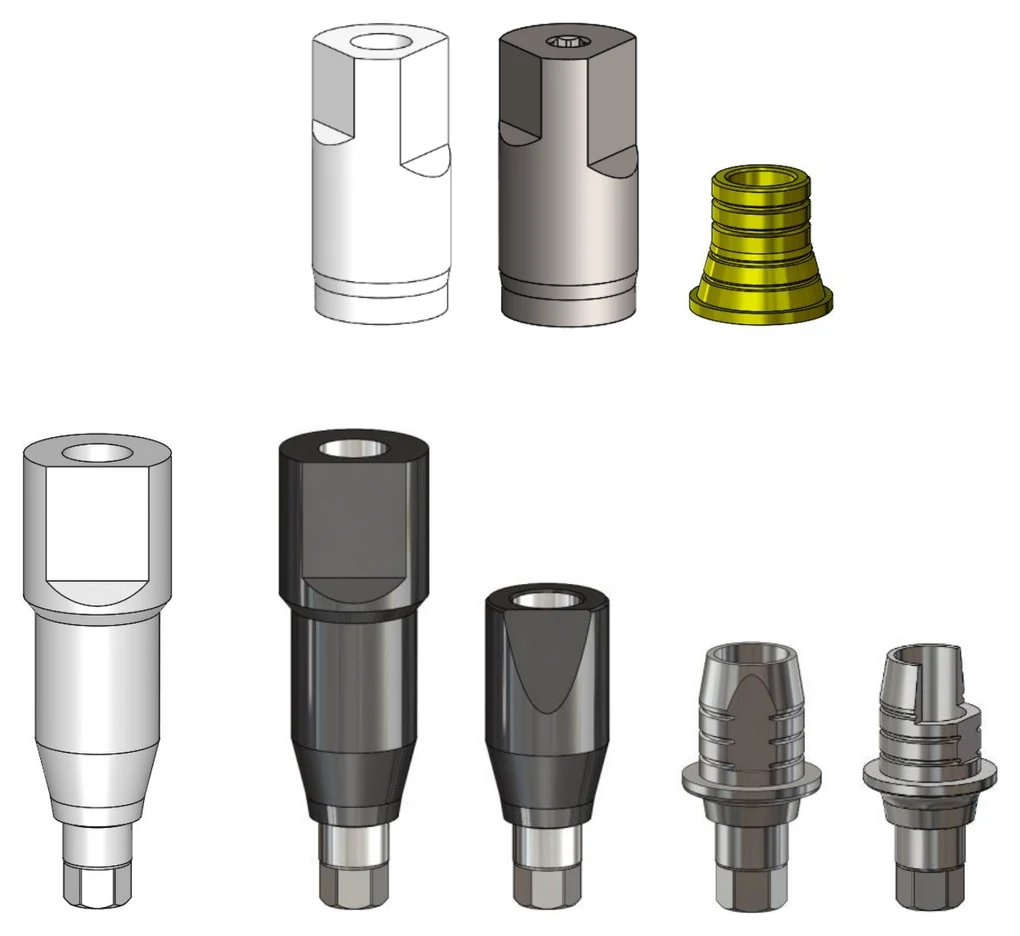
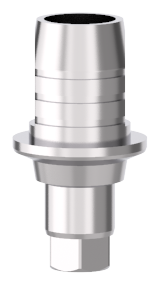
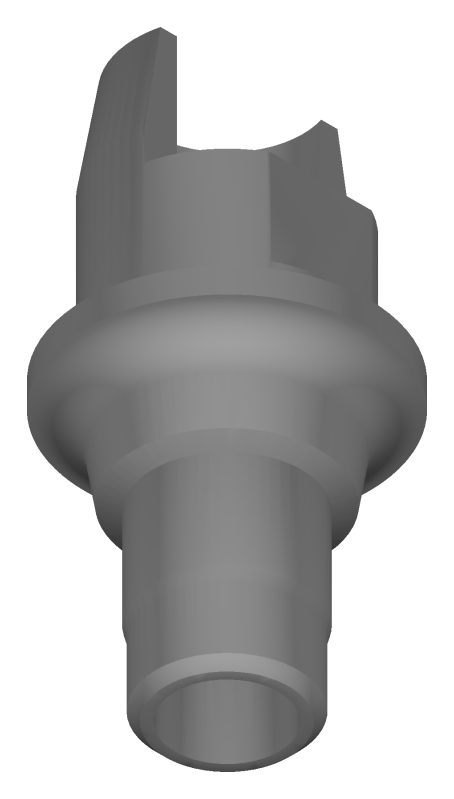
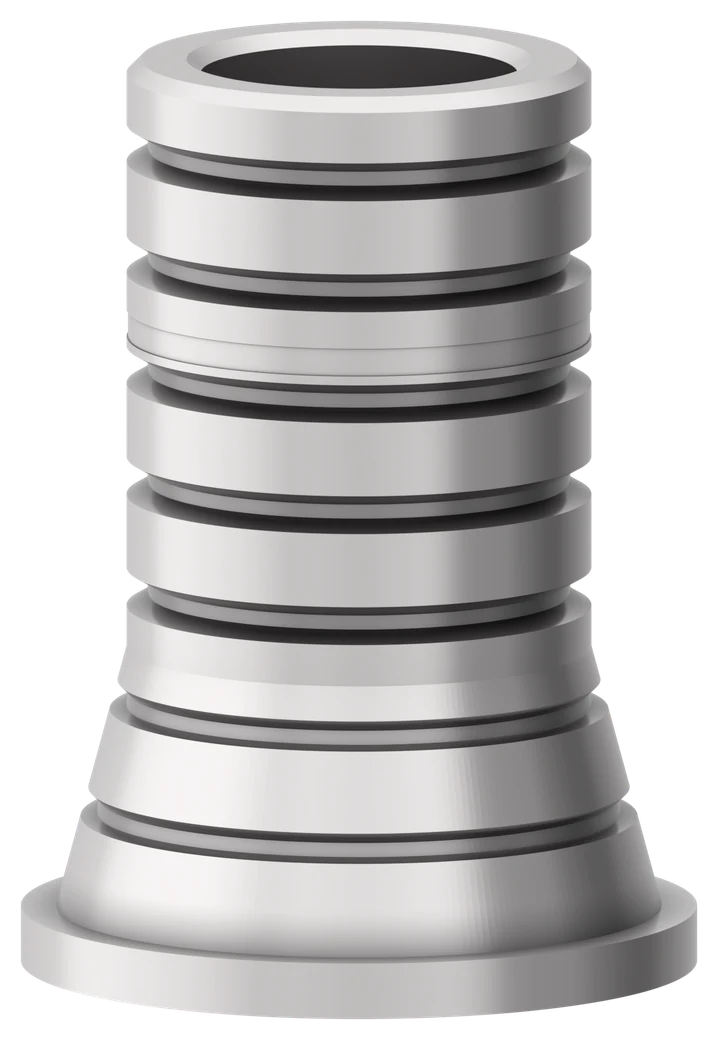
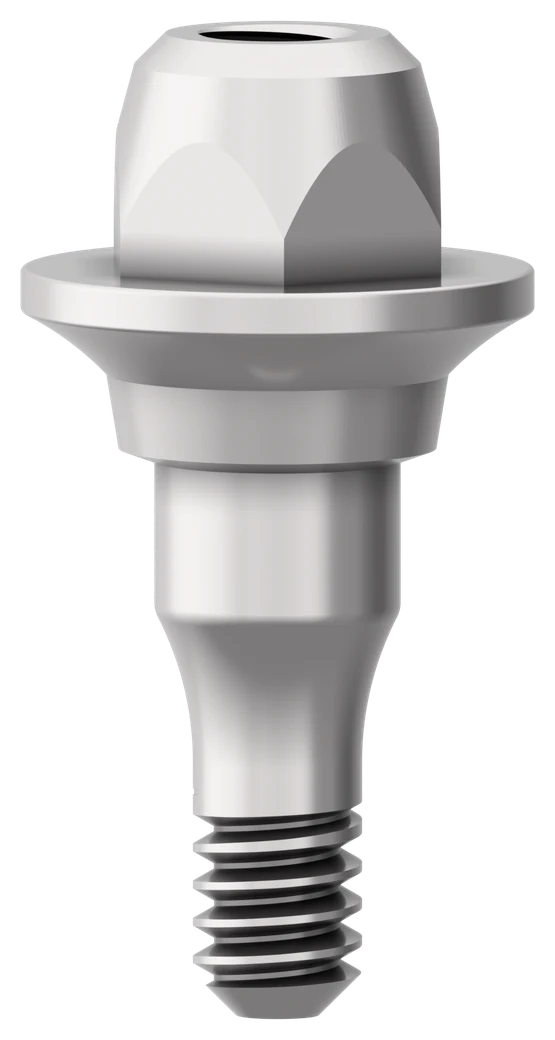
- What the guide covers: The guide helps match Ti-Bases, multi-unit abutments and multi-unit Ti-Bases used in NucleOSS CAD-CAM solutions with the files created in Exocad, 3Shape and Dental Wings. Images and code information for the products are in the product catalogue.
- Check which scan body you used: There are separate files for different scan bodies. For T6 Ti-Bases on the implant in Exocad and 3Shape, the files listed first list T6 32898 or T6 32899 as the scan body. If the scan data is taken with the T6 short scan body T6 32895, use the file with “Short Scanbody” in its name. If the T6 32040 full arch MU scan body is used, use the “Full Arch MU” file (Exocad).
- Match Hex or NoHex to the prosthesis: Hex Ti-Bases are for single prostheses. NoHex Ti-Bases are for bridge and multiple prostheses. The same rule applies to angled Ti-Bases and to multi-unit Ti-Bases.
- Choose the multi-unit route: For the T0 multi-unit files, scan post T0 32036 is for single prostheses and T0 32033 is for bridge and multiple prostheses. A prosthesis can be made on a multi-unit Ti-Base or directly on a multi-unit abutment.
- Use the matching digital analogue: Digital analogues are used to create a resin model with a 3D printer. T6 32204 is used with T6 Ti-Bases and TS 32209 with Slimex (TS) Ti-Bases. T0 32205 is used with all multi-unit abutments and multi-unit Ti-Bases (T0 files). T6 32210 is used with all new T6 and Slimex multi-unit abutments and multi-unit Ti-Bases.
- Read the cement gap code (Exocad): In the Exocad Ti-Base files, CG004mm means a cement gap of 0.04 mm and CG008mm means a cement gap of 0.08 mm.
Exocad
References with a link have a product page. References without a link are not in the 2026 catalogue.
Newer than the guide: The manufacturer’s revision form DKF-14 records newer Exocad library changes than this guide: a library for newly added T6 angled Ti-Bases, libraries for the new T6 Ti-Base shoulder series (standard and short scan body), and additions to the Ti-Base and angled Ti-Base folders for new straight and screw-channel angled Ti-Bases with a 6.0 mm chimney height. The tables below do not cover these parts. Ask HealthIN. Revision form DKF-14, Exocad library Rev.08, revision date 17.06.2025.
Ti-Bases on the implant
Main file: Nucleoss - TiBase
- Use the codes under the file “Nucleoss - TiBase” for a Ti-Base on an implant. The codes have the same names as the Ti-Bases to be used.
- Use Hex Ti-Bases for single prostheses and NoHex Ti-Bases for bridge and multiple prostheses.
- Use digital analogues to create a resin model with a 3D printer. Use T6 32204 with T6 Ti-Bases and TS 32209 with Slimex (TS) Ti-Bases.
- CG004mm means a cement gap of 0.04 mm and CG008mm means a cement gap of 0.08 mm.
| Sub-file | Cement gap | Implant | Abutment | Scan body | Prosthesis | Digital analogue |
|---|---|---|---|---|---|---|
| T6 32804_GH0.7_Hex | CG004mm (0.04 mm) or CG008mm (0.08 mm) | T6 and T6 Torq | T6 32804 | T6 32898 or T6 32899 | Single | T6 32204 |
| T6 32805_GH0.7_NoHex | CG004mm (0.04 mm) or CG008mm (0.08 mm) | T6 and T6 Torq | T6 32805 | T6 32898 or T6 32899 | Bridge and Multiple | T6 32204 |
| T6 32806_GH2.4_Hex | CG004mm (0.04 mm) or CG008mm (0.08 mm) | T6 and T6 Torq | T6 32806 | T6 32898 or T6 32899 | Single | T6 32204 |
| T6 32807_GH2.4_NoHex | CG004mm (0.04 mm) or CG008mm (0.08 mm) | T6 and T6 Torq | T6 32807 | T6 32898 or T6 32899 | Bridge and Multiple | T6 32204 |
| T6 32823_GH1.5_Hex | CG004mm (0.04 mm) or CG008mm (0.08 mm) | T6 and T6 Torq | T6 32823 | T6 32898 or T6 32899 | Single | T6 32204 |
| T6 32824_GH1.5_NoHex | CG004mm (0.04 mm) or CG008mm (0.08 mm) | T6 and T6 Torq | T6 32824 | T6 32898 or T6 32899 | Bridge and Multiple | T6 32204 |
| TS 42012 | None listed | Slimex | TS 42012 | TS 42011 | Bridge and Multiple | TS 32209 |
| TS 42013 | None listed | Slimex | TS 42013 | TS 42011 | Bridge and Multiple | TS 32209 |
| TS 42014 | None listed | Slimex | TS 42014 | TS 42011 | Single | TS 32209 |
| TS 42015 | None listed | Slimex | TS 42015 | TS 42011 | Single | TS 32209 |
Ti-Bases on the implant, short scan body
Main file: Nucleoss TiBase Short Scanbody
- If the scan data is taken with the T6 32895 T6 short scan body, use the codes under the file “Nucleoss TiBase Short Scanbody”. The codes have the same names as the Ti-Bases to be used.
- Use Hex Ti-Bases for single prostheses and NoHex Ti-Bases for bridge and multiple prostheses.
- Use digital analogues to create a resin model with a 3D printer. Use T6 32204 with T6 Ti-Bases.
- CG004mm means a cement gap of 0.04 mm and CG008mm means a cement gap of 0.08 mm.
| Sub-file | Cement gap | Implant | Abutment | Scan body | Prosthesis | Digital analogue |
|---|---|---|---|---|---|---|
| T6 32804_GH0.7_Hex | CG004mm (0.04 mm) or CG008mm (0.08 mm) | T6 and T6 Torq | T6 32804 | T6 32895 | Single | T6 32204 |
| T6 32805_GH0.7_NoHex | CG004mm (0.04 mm) or CG008mm (0.08 mm) | T6 and T6 Torq | T6 32805 | T6 32895 | Bridge and Multiple | T6 32204 |
| T6 32806_GH2.4_Hex | CG004mm (0.04 mm) or CG008mm (0.08 mm) | T6 and T6 Torq | T6 32806 | T6 32895 | Single | T6 32204 |
| T6 32807_GH2.4_NoHex | CG004mm (0.04 mm) or CG008mm (0.08 mm) | T6 and T6 Torq | T6 32807 | T6 32895 | Bridge and Multiple | T6 32204 |
| T6 32823_GH1.5_Hex | CG004mm (0.04 mm) or CG008mm (0.08 mm) | T6 and T6 Torq | T6 32823 | T6 32895 | Single | T6 32204 |
| T6 32824_GH1.5_NoHex | CG004mm (0.04 mm) or CG008mm (0.08 mm) | T6 and T6 Torq | T6 32824 | T6 32895 | Bridge and Multiple | T6 32204 |
T3, Tpure (T4) and T5 Short Ti-Bases
Main file: Nucleoss - TiBase
- For T3, Tpure (T4) or T5 Ti-Bases, use the codes under the file “Nucleoss – TiBase_T3_T4_T5”. The codes have the same names as the Ti-Bases to be used.
- Use Hex Ti-Bases for single prostheses and NoHex Ti-Bases for bridge and multiple prostheses.
| Sub-file | Implant | Abutment | Scan body | Prosthesis | Digital analogue |
|---|---|---|---|---|---|
| T3 32806 | T3 | T3 32806 | T3 32897 | Single | None listed |
| T3 32807 | T3 | T3 32807 | T3 32897 | Bridge and Multiple | None listed |
| T4 32804 | Tpure Ø3.4/3.8/4.2 | T4 32804 | T4 32897 | Single | None listed |
| T4 32805 | Tpure Ø3.4/3.8/4.2 | T4 32805 | T4 32897 | Bridge and Multiple | None listed |
| T4 32806 | Tpure Ø5.0 | T4 32806 | T4 32898 | Single | None listed |
| T4 32807 | Tpure Ø5.0 | T4 32807 | T4 32898 | Bridge and Multiple | None listed |
| T5 32806 | T5 Short | T5 32806 | T5 32897 | Single | None listed |
| T5 32807 | T5 Short | T5 32807 | T5 32897 | Bridge and Multiple | None listed |
Multi-unit abutments and multi-unit Ti-Bases (T0 files)
Main file: Nucleoss – MU TiBase
- Use scan post T0 32036 for single prostheses and scan post T0 32033 for bridge and multiple prostheses.
- Use the codes under the file “Nucleoss – MU TiBase” for digital work in which multi-unit abutments will be used.
- Bridge and multiple prostheses to be used directly on multi-unit abutments can be produced.
- Use a Hex multi-unit Ti-Base for single prostheses and a NoHex multi-unit Ti-Base for bridge and multiple prostheses.
- Use digital analogues to create a resin model with a 3D printer. Use T0 32205 with all multi-unit abutments and multi-unit Ti-Bases.
| Sub-file | Implant | Abutment | Scan body | Prosthesis | Digital analogue |
|---|---|---|---|---|---|
| T0 32033 | T3, Tpure, T5 Short, T6 and T6 Torq | T6 32431 T6 32432 T6 32433 T6 32434 T6 32435 T6 32436 T6 32437 and all T3, Tpure and T5 Short multi-unit NoHex abutments | T0 32033 | Bridge and Multiple | T0 32205 |
| T0 32811 | T3, Tpure, T5 Short, T6 and T6 Torq | T0 32811 Multi Unit TiBase NoHex | T0 32033 | Bridge and Multiple | T0 32205 |
| T0 32812 | T3, Tpure, T5 Short, T6 and T6 Torq | T0 32812 Multi Unit TiBase Hex | T0 32036 | Single | T0 32205 |
New T6 multi-unit abutments and multi-unit Ti-Bases
Main file: Nucleoss - T6/TS MU - TiBase
- Use the codes under the file “Nucleoss - T6/TS MU - TiBase” for digital work in which new T6 multi-unit parts will be used.
- Single, bridge and multiple prostheses to be used directly on multi-unit abutments can be produced.
- Use a Hex multi-unit Ti-Base for single prostheses and a NoHex multi-unit Ti-Base for bridge and multiple prostheses.
- Use digital analogues to create a resin model with a 3D printer. Use T6 32210 with all new T6 and Slimex multi-unit abutments and multi-unit Ti-Bases.
| Sub-file | Implant | Abutment | Scan body | Prosthesis | Digital analogue |
|---|---|---|---|---|---|
| T6 32037-32039_NoHex | T6 Standard, T6 Torq and Slimex | T6 32422 T6 32423 T6 32424 T6 32425 T6 32426 T6 32427 T6 32428 T6 32429 TS 47000 TS 47001 TS 47002 | T6 32037 or T6 32039 | Bridge and Multiple | T6 32210 |
| T6 32038_Hex | T6 Standard, T6 Torq and Slimex | T6 32413 T6 32414 T6 32415 TS 47000 TS 47001 TS 47002 | T6 32038 | Single | T6 32210 |
| T6 32813_NoHex | T6 Standard, T6 Torq and Slimex | T6 32813 T6 Multi Unit TiBase NoHex (L:6.5 mm) | T6 32037 or T6 32039 | Bridge and Multiple | T6 32210 |
| T6 32814_Hex | T6 Standard, T6 Torq and Slimex | T6 32814 T6 Multi Unit TiBase Hex (L:6.5 mm) | T6 32038 | Single | T6 32210 |
| T6 32813_NoHex_Short | T6 Standard, T6 Torq and Slimex | T6 32813 T6 Multi Unit TiBase NoHex (L:4.5 mm) | T6 32037 or T6 32039 | Bridge and Multiple | T6 32210 |
| T6 32814_Hex_Short | T6 Standard, T6 Torq and Slimex | T6 32814 T6 Multi Unit TiBase Hex (L:4.5 mm) | T6 32038 | Single | T6 32210 |
Full arch scan body (T6 32040)
Main file: Nucleoss – Full Arch MU
- If the T6 32040 full arch MU scan body is used, use the codes under the file “Nucleoss – Full Arch MU”.
- Bridge and multiple prostheses to be used directly on multi-unit abutments can be produced.
- Use a NoHex multi-unit Ti-Base for bridge and multiple prostheses.
- Use digital analogues to create a resin model with a 3D printer. Use T6 32210 with all new T6 and Slimex multi-unit abutments and multi-unit Ti-Bases.
| Sub-file | Implant | Abutment | Scan body | Prosthesis | Digital analogue |
|---|---|---|---|---|---|
| T6 32040 | T6 Standard, T6 Torq and Slimex | T6 32422 T6 32423 T6 32424 T6 32425 T6 32426 T6 32427 T6 32428 T6 32429 TS 47000 TS 47001 TS 47002 | T6 32040 | Bridge and Multiple | T6 32210 |
| T6 32813 Tibase | T6 Standard, T6 Torq and Slimex | T6 32813 T6 Multi Unit TiBase NoHex (L:4.5 mm) | T6 32040 | Bridge and Multiple | T6 32210 |
T6 angled Ti-Bases on the implant
Main file: Nucleoss Angled TiBase
- Use the codes under the file “Nucleoss Angled TiBase” for T6 angled Ti-Bases on an implant. The codes have the same names as the T6 angled Ti-Bases to be used.
- Use Hex angled Ti-Bases for single prostheses and NoHex angled Ti-Bases for bridge and multiple prostheses.
- Use digital analogues to create a resin model with a 3D printer. Use T6 32204 with T6 Ti-Bases.
- CG004mm means a cement gap of 0.04 mm and CG008mm means a cement gap of 0.08 mm.
| Sub-file | Cement gap | Implant | Abutment | Scan body | Prosthesis | Digital analogue |
|---|---|---|---|---|---|---|
| T6 32817_GH1.0_Hex | CG004mm (0.04 mm) or CG008mm (0.08 mm) | T6 and T6 Torq | T6 32817 | T6 32898 or T6 32899 | Single | T6 32204 |
| T6 32819_GH1.0_NoHex | CG004mm (0.04 mm) or CG008mm (0.08 mm) | T6 and T6 Torq | T6 32819 | T6 32898 or T6 32899 | Bridge and Multiple | T6 32204 |
| T6 32825_GH1.5_Hex | CG004mm (0.04 mm) or CG008mm (0.08 mm) | T6 and T6 Torq | T6 32825 | T6 32898 or T6 32899 | Single | T6 32204 |
| T6 32826_GH1.5_NoHex | CG004mm (0.04 mm) or CG008mm (0.08 mm) | T6 and T6 Torq | T6 32826 | T6 32898 or T6 32899 | Bridge and Multiple | T6 32204 |
| T6 32818_GH2.5_Hex | CG004mm (0.04 mm) or CG008mm (0.08 mm) | T6 and T6 Torq | T6 32818 | T6 32898 or T6 32899 | Single | T6 32204 |
| T6 32820_GH2.5_NoHex | CG004mm (0.04 mm) or CG008mm (0.08 mm) | T6 and T6 Torq | T6 32820 | T6 32898 or T6 32899 | Bridge and Multiple | T6 32204 |
T6 angled Ti-Bases on the implant, short scan body
Main file: Nucleoss Angled TiBase Short Scanbody
- If the scan data is taken with the T6 32895 T6 short scan body, use the codes under the file “Nucleoss Angled TiBase Short Scanbody” for T6 angled Ti-Bases on an implant. The codes have the same names as the T6 angled Ti-Bases to be used.
- Use Hex angled Ti-Bases for single prostheses and NoHex angled Ti-Bases for bridge and multiple prostheses.
- Use digital analogues to create a resin model with a 3D printer. Use T6 32204 with T6 Ti-Bases.
- CG004mm means a cement gap of 0.04 mm and CG008mm means a cement gap of 0.08 mm.
| Sub-file | Cement gap | Implant | Abutment | Scan body | Prosthesis | Digital analogue |
|---|---|---|---|---|---|---|
| T6 32817_GH1.0_Hex | CG004mm (0.04 mm) or CG008mm (0.08 mm) | T6 and T6 Torq | T6 32817 | T6 32895 | Single | T6 32204 |
| T6 32819_GH1.0_NoHex | CG004mm (0.04 mm) or CG008mm (0.08 mm) | T6 and T6 Torq | T6 32819 | T6 32895 | Bridge and Multiple | T6 32204 |
| T6 32825_GH1.5_Hex | CG004mm (0.04 mm) or CG008mm (0.08 mm) | T6 and T6 Torq | T6 32825 | T6 32895 | Single | T6 32204 |
| T6 32826_GH1.5_NoHex | CG004mm (0.04 mm) or CG008mm (0.08 mm) | T6 and T6 Torq | T6 32826 | T6 32895 | Bridge and Multiple | T6 32204 |
| T6 32818_GH2.5_Hex | CG004mm (0.04 mm) or CG008mm (0.08 mm) | T6 and T6 Torq | T6 32818 | T6 32895 | Single | T6 32204 |
| T6 32820_GH2.5_NoHex | CG004mm (0.04 mm) or CG008mm (0.08 mm) | T6 and T6 Torq | T6 32820 | T6 32895 | Bridge and Multiple | T6 32204 |
3Shape
References with a link have a product page. References without a link are not in the 2026 catalogue.
Newer than the guide: The manufacturer’s revision form DKF-18 records newer 3Shape library changes than this guide: a library for newly added T6 angled Ti-Bases, libraries for the new T6 Ti-Base shoulder series (standard and short scan body), and folders for new T6 Ti-Bases with a 6.0 mm chimney height. The tables below do not cover these parts. Ask HealthIN. Revision form DKF-18, 3Shape library Rev.05, revision date 10.08.2026.
Ti-Bases on the implant
Main file: Nucleoss Ti-Base_abutment
- Use the codes under the file “Nucleoss Ti-Base abutment” for a Ti-Base on an implant. The codes have the same names as the Ti-Bases to be used.
- Use Hex Ti-Bases for single prostheses and NoHex Ti-Bases for bridge and multiple prostheses.
- Use digital analogues to create a resin model with a 3D printer. Use T6 32204 with T6 Ti-Bases and TS 32209 with Slimex (TS) Ti-Bases.
| Sub-file | Implant | Abutment | Scan body | Prosthesis | Digital analogue |
|---|---|---|---|---|---|
| T3 32806 | T3 | T3 32806 | T3 32897 | Single | None listed |
| T3 32807 | T3 | T3 32807 | T3 32897 | Bridge and Multiple | None listed |
| T4 32804 | Tpure Ø3.4/3.8/4.2 | T4 32804 | T4 32897 | Single | None listed |
| T4 32805 | Tpure Ø3.4/3.8/4.2 | T4 32805 | T4 32897 | Bridge and Multiple | None listed |
| T4 32806 | Tpure Ø5.0 | T4 32806 | T4 32898 | Single | None listed |
| T4 32807 | Tpure Ø5.0 | T4 32807 | T4 32898 | Bridge and Multiple | None listed |
| T5 32806 | T5 Short | T5 32806 | T5 32897 | Single | None listed |
| T5 32807 | T5 Short | T5 32807 | T5 32897 | Bridge and Multiple | None listed |
| T6_32804 | T6 and T6 Torq | T6 32804 | T6 32898 or T6 32899 | Single | T6 32204 |
| T6_32805 | T6 and T6 Torq | T6 32805 | T6 32898 or T6 32899 | Bridge and Multiple | T6 32204 |
| T6_32806 | T6 and T6 Torq | T6 32806 | T6 32898 or T6 32899 | Single | T6 32204 |
| T6_32807 | T6 and T6 Torq | T6 32807 | T6 32898 or T6 32899 | Bridge and Multiple | T6 32204 |
| T6_32823 | T6 and T6 Torq | T6 32823 | T6 32898 or T6 32899 | Single | T6 32204 |
| T6_32824 | T6 and T6 Torq | T6 32824 | T6 32898 or T6 32899 | Bridge and Multiple | T6 32204 |
| TS_42012 | Slimex | TS 42012 | TS 42011 | Bridge and Multiple | TS 32209 |
| TS_42013 | Slimex | TS 42013 | TS 42011 | Bridge and Multiple | TS 32209 |
| TS_42014 | Slimex | TS 42014 | TS 42011 | Single | TS 32209 |
| TS_42015 | Slimex | TS 42015 | TS 42011 | Single | TS 32209 |
Ti-Bases on the implant, short scan body
Main file: Nucleoss Ti-Base_abutment_Short_Scanbody
- If the scan data is taken with the T6 32895 T6 short scan body, use the codes under the file “Nucleoss Ti-Base_abutment_Short_Scanbody”. The codes have the same names as the Ti-Bases to be used.
- Use Hex Ti-Bases for single prostheses and NoHex Ti-Bases for bridge and multiple prostheses.
- Use digital analogues to create a resin model with a 3D printer. Use T6 32204 with T6 Ti-Bases.
| Sub-file | Implant | Abutment | Scan body | Prosthesis | Digital analogue |
|---|---|---|---|---|---|
| T6 32804_Short_Scanbody | T6 and T6 Torq | T6 32804 | T6 32895 | Single | T6 32204 |
| T6 32805_Short_Scanbody | T6 and T6 Torq | T6 32805 | T6 32895 | Bridge and Multiple | T6 32204 |
| T6 32806_Short_Scanbody | T6 and T6 Torq | T6 32806 | T6 32895 | Single | T6 32204 |
| T6 32807_Short_Scanbody | T6 and T6 Torq | T6 32807 | T6 32895 | Bridge and Multiple | T6 32204 |
| T6 32823_Short_Scanbody | T6 and T6 Torq | T6 32823 | T6 32895 | Single | T6 32204 |
| T6 32824_Short_Scanbody | T6 and T6 Torq | T6 32824 | T6 32895 | Bridge and Multiple | T6 32204 |
Multi-unit abutments and multi-unit Ti-Bases (T0 files)
- Use scan post T0 32036 for single prostheses and scan post T0 32033 for bridge and multiple prostheses.
- Use the codes under the file “Nucleoss_mua_tibase” for digital work in which a multi-unit Ti-Base will be used. Use the code under “Nucleoss_T0_32033 multi unit” for prostheses created directly on a multi-unit abutment.
- Bridge and multiple prostheses to be used directly on multi-unit abutments can be produced.
- Use a Hex multi-unit Ti-Base for single prostheses and a NoHex multi-unit Ti-Base for bridge and multiple prostheses.
- Use digital analogues to create a resin model with a 3D printer. Use T0 32205 with all multi-unit abutments and multi-unit Ti-Bases.
| Main file | Sub-file | Implant | Abutment | Scan body | Prosthesis | Digital analogue |
|---|---|---|---|---|---|---|
| Nucleoss_mua_tibase | T0 32811 MU TiBase | T3, Tpure, T5 Short, T6 and T6 Torq | T0 32811 Multi Unit TiBase NoHex | T0 32033 | Bridge and Multiple | T0 32205 |
| Nucleoss_mua_tibase | T0 32812 MU TiBase Hex | T3, Tpure, T5 Short, T6 and T6 Torq | T0 32812 Multi Unit TiBase Hex | T0 32036 | Single | T0 32205 |
| Nucleoss_T0_32033 multi unit | MU_T0_32033 | T3, Tpure, T5 Short, T6 and T6 Torq | T6 32431 T6 32432 T6 32433 T6 32434 T6 32435 T6 32436 T6 32437 and all T3, Tpure and T5 Short multi-unit NoHex abutments | T0 32033 | Bridge and Multiple | T0 32205 |
New T6 multi-unit abutments and multi-unit Ti-Bases
- Use the codes under the file “Nucleoss_New T6/TS MU TiBase” for digital work in which a new T6 multi-unit Ti-Base will be used. Use the code under “Nucleoss_New T6/TS MU” for prostheses created directly on a multi-unit abutment.
- Single, bridge and multiple prostheses to be used directly on multi-unit abutments can be produced.
- Use a Hex multi-unit Ti-Base for single prostheses and a NoHex multi-unit Ti-Base for bridge and multiple prostheses.
- Use digital analogues to create a resin model with a 3D printer. Use T6 32210 with all new T6 and Slimex multi-unit abutments and multi-unit Ti-Bases.
| Main file | Sub-file | Implant | Abutment | Scan body | Prosthesis | Digital analogue |
|---|---|---|---|---|---|---|
| Nucleoss_New T6/TS MU | T6 Yeni MU_NoHex | T6 Standard, T6 Torq and Slimex | T6 32422 T6 32423 T6 32424 T6 32425 T6 32426 T6 32427 T6 32428 T6 32429 TS 47000 TS 47001 TS 47002 | T6 32037 or T6 32040 | Bridge and Multiple | T6 32210 |
| Nucleoss_New T6/TS MU | T6 Yeni MU_Hex | T6 Standard, T6 Torq and Slimex | TS 47000 TS 47001 TS 47002 | T6 32038 | Single | T6 32210 |
| Nucleoss_New T6/TS MU TiBase | T6 32813_NoHex_Long | T6 Standard, T6 Torq and Slimex | T6 32813 T6 Multi Unit TiBase NoHex (L:6.5 mm) | T6 32037 | Bridge and Multiple | T6 32210 |
| Nucleoss_New T6/TS MU TiBase | T6 32814_Hex_Long | T6 Standard, T6 Torq and Slimex | T6 32814 T6 Multi Unit TiBase Hex (L:6.5 mm) | T6 32038 | Single | T6 32210 |
| Nucleoss_New T6/TS MU TiBase | T6 32813_NoHex_Short | T6 Standard, T6 Torq and Slimex | T6 32813 T6 Multi Unit TiBase NoHex (L:4.5 mm) | T6 32037 or T6 32040 | Bridge and Multiple | T6 32210 |
| Nucleoss_New T6/TS MU TiBase | T6 32814_Hex_Short | T6 Standard, T6 Torq and Slimex | T6 32814 T6 Multi Unit TiBase Hex (L:4.5 mm) | T6 32038 | Single | T6 32210 |
T6 angled Ti-Bases on the implant
Main file: Nucleoss_T6_Angled_Ti-Base_Abutment
- Use the codes under the file “Nucleoss_T6_Angled_Ti-Base_Abutment” for T6 angled Ti-Bases on an implant. The codes have the same names as the T6 angled Ti-Bases to be used.
- Use Hex angled Ti-Bases for single prostheses and NoHex angled Ti-Bases for bridge and multiple prostheses.
- Use digital analogues to create a resin model with a 3D printer. Use T6 32204 with T6 Ti-Bases.
| Sub-file | Implant | Abutment | Scan body | Prosthesis | Digital analogue |
|---|---|---|---|---|---|
| T6_32817 | T6 and T6 Torq | T6 32817 | T6 32898 or T6 32899 | Single | T6 32204 |
| T6_32819 | T6 and T6 Torq | T6 32819 | T6 32898 or T6 32899 | Bridge and Multiple | T6 32204 |
| T6_32825 | T6 and T6 Torq | T6 32825 | T6 32898 or T6 32899 | Single | T6 32204 |
| T6_32826 | T6 and T6 Torq | T6 32826 | T6 32898 or T6 32899 | Bridge and Multiple | T6 32204 |
| T6_32818 | T6 and T6 Torq | T6 32818 | T6 32898 or T6 32899 | Single | T6 32204 |
| T6_32820 | T6 and T6 Torq | T6 32820 | T6 32898 or T6 32899 | Bridge and Multiple | T6 32204 |
T6 angled Ti-Bases on the implant, short scan body
Main file: Nucleoss_T6_Angled_Ti-Base_Abutment_Short_Scanbody
- If the scan data is taken with the T6 32895 T6 short scan body, use the codes under the file “Nucleoss_T6_Angled_Ti-Base_Abutment_Short_Scanbody” for T6 angled Ti-Bases on an implant. The codes have the same names as the T6 angled Ti-Bases to be used.
- Use Hex angled Ti-Bases for single prostheses and NoHex angled Ti-Bases for bridge and multiple prostheses.
- Use digital analogues to create a resin model with a 3D printer. Use T6 32204 with T6 Ti-Bases.
| Sub-file | Implant | Abutment | Scan body | Prosthesis | Digital analogue |
|---|---|---|---|---|---|
| T6 32817_Short_Scanbody | T6 and T6 Torq | T6 32817 | T6 32895 | Single | T6 32204 |
| T6 32819_Short_Scanbody | T6 and T6 Torq | T6 32819 | T6 32895 | Bridge and Multiple | T6 32204 |
| T6 32825_Short_Scanbody | T6 and T6 Torq | T6 32825 | T6 32895 | Single | T6 32204 |
| T6 32826_Short_Scanbody | T6 and T6 Torq | T6 32826 | T6 32895 | Bridge and Multiple | T6 32204 |
| T6 32818_Short_Scanbody | T6 and T6 Torq | T6 32818 | T6 32895 | Single | T6 32204 |
| T6 32820_Short_Scanbody | T6 and T6 Torq | T6 32820 | T6 32895 | Bridge and Multiple | T6 32204 |
Dental Wings
References with a link have a product page. References without a link are not in the 2026 catalogue.
T3, Tpure (T4) and T5 Short Ti-Bases
- Use the codes under the files “Slimex, T3, T4, T5 Short and T6” under the main heading “NucleOSS” for a Ti-Base on an implant.
- Use Hex Ti-Bases for single prostheses and NoHex Ti-Bases for bridge and multiple prostheses.
- Use digital analogues to create a resin model with a 3D printer. Use T6 32204 with T6 Ti-Bases and TS 32209 with Slimex (TS) Ti-Bases.
| Main file | Sub-file | Implant | Abutment | Scan body | Prosthesis | Digital analogue |
|---|---|---|---|---|---|---|
| T3 | T3 TiBase Single 3.4-3.8-4.2-5.0 | T3 | T3 32806 | T3 32897 | Single | None listed |
| T3 | T3 TiBase Bridge 3.4-3.8-4.2-5.0 | T3 | T3 32807 | T3 32897 | Bridge and Multiple | None listed |
| T4 | T4 TiBase Single 3.4-3.8-4.2 | Tpure Ø3.4/3.8/4.2 | T4 32804 | T4 32897 | Single | None listed |
| T4 | T4 TiBase Bridge 3.4-3.8-4.2 | Tpure Ø3.4/3.8/4.2 | T4 32805 | T4 32897 | Bridge and Multiple | None listed |
| T5 Short | T5 TiBase Single 4.5-5.0-5.5 | T5 Short | T5 32806 | T5 32897 | Single | None listed |
| T5 Short | T5 TiBase Bridge 4.5-5.0-5.5 | T5 Short | T5 32807 | T5 32897 | Bridge and Multiple | None listed |
T6 and Slimex Ti-Bases
- Use the codes under the files “Slimex, T3, T4, T5 Short and T6” under the main heading “NucleOSS” for a Ti-Base on an implant.
- Use Hex Ti-Bases for single prostheses and NoHex Ti-Bases for bridge and multiple prostheses.
- Use digital analogues to create a resin model with a 3D printer. Use T6 32204 with T6 Ti-Bases and TS 32209 with Slimex (TS) Ti-Bases.
| Main file | Sub-file | Implant | Abutment | Scan body | Prosthesis | Digital analogue |
|---|---|---|---|---|---|---|
| T6 | T6 TiBase Single 3.5-4.1-4.8 | T6 and T6 Torq | T6 32804 | T6 32898 | Single | T6 32204 |
| T6 | T6 TiBase Bridge 3.5-4.1-4.8 | T6 and T6 Torq | T6 32805 | T6 32898 | Bridge and Multiple | T6 32204 |
| T6 | T6 TiBase Single 3.5-4.1-4.8 GH:2.4 | T6 and T6 Torq | T6 32806 | T6 32898 | Single | T6 32204 |
| T6 | T6 TiBase Bridge 3.5-4.1-4.8 GH:2.4 | T6 and T6 Torq | T6 32807 | T6 32898 | Bridge and Multiple | T6 32204 |
| Slimex | TS TiBase Bridge 3.0 GH:0.6 | Slimex | TS 42012 | TS 42011 | Bridge and Multiple | TS 32209 |
| Slimex | TS TiBase Bridge 3.0 GH:2.4 | Slimex | TS 42013 | TS 42011 | Bridge and Multiple | TS 32209 |
| Slimex | TS TiBase Single 3.0 GH:2.4 | Slimex | TS 42014 | TS 42011 | Single | TS 32209 |
| Slimex | TS TiBase Single 3.0 GH:0.6 | Slimex | TS 42015 | TS 42011 | Single | TS 32209 |
Multi-unit abutments and multi-unit Ti-Bases (T0 files)
- Use scan post T0 32036 for single prostheses and scan post T0 32033 for bridge and multiple prostheses.
- Use one of the files “T4-T5-T6-T0 32811 multi unit tibase no hex” and “T4-T5-T6-T0 32812 multi unit tibase hex” under the folder “T4” for digital work in which a multi-unit Ti-Base will be used. Use the file “T4-T5-T6 Multi” under the folder “Multi-Unit” for prostheses created directly on a multi-unit abutment.
- Bridge and multiple prostheses to be used directly on multi-unit abutments can be produced.
- Use a Hex multi-unit Ti-Base for single prostheses and a NoHex multi-unit Ti-Base for bridge and multiple prostheses.
- Use digital analogues to create a resin model with a 3D printer. Use T0 32205 with all multi-unit abutments and multi-unit Ti-Bases.
| Main file | Sub-file | Implant | Abutment | Scan body | Prosthesis | Digital analogue |
|---|---|---|---|---|---|---|
| T4 | T4-T5-T6-T0 32811 multi unit tibase no hex | T3, Tpure, T5 Short, T6 and T6 Torq | T0 32811 Multi Unit TiBase NoHex | T0 32033 | Bridge and Multiple | T0 32205 |
| T4 | T4-T5-T6-T0 32812 multi unit tibase hex | T3, Tpure, T5 Short, T6 and T6 Torq | T0 32812 Multi Unit TiBase Hex | T0 32036 | Single | T0 32205 |
| Multi-Unit | T4-T5-T6 Multi | T3, Tpure, T5 Short, T6 and T6 Torq | T6 32431 T6 32432 T6 32433 T6 32434 T6 32435 T6 32436 T6 32437 and all T3, Tpure and T5 Short multi-unit NoHex abutments | T0 32033 | Bridge and Multiple | T0 32205 |
New T6 multi-unit abutments and multi-unit Ti-Bases
Main file: Multi-Unit
- Use the codes under the file “Multi-Unit” for a new T6 multi-unit Ti-Base.
- Single, bridge and multiple prostheses to be used directly on multi-unit abutments can be produced.
- Use a Hex multi-unit Ti-Base for single prostheses and a NoHex multi-unit Ti-Base for bridge and multiple prostheses.
- Use digital analogues to create a resin model with a 3D printer. Use T6 32210 with all new T6 and Slimex multi-unit abutments and multi-unit Ti-Bases.
| Sub-file | Implant | Abutment | Scan body | Prosthesis | Digital analogue |
|---|---|---|---|---|---|
| T6-TS Multi Unit NoHex | T6, T6 Torq and Slimex | T6 32422 T6 32423 T6 32424 T6 32425 T6 32426 T6 32427 T6 32428 T6 32429 TS 47000 TS 47001 TS 47002 | T6 32037 | Bridge and Multiple | T6 32210 |
| T6-TS Multi Unit Hex | T6, T6 Torq and Slimex | TS 47000 TS 47001 TS 47002 | T6 32038 | Single | T6 32210 |
| T6-TS Multi Unit TiBase NoHex | T6, T6 Torq and Slimex | T6 32821 T6 Multi Unit TiBase NoHex (L:6.5 mm) | T6 32037 | Bridge and Multiple | T6 32210 |
| T6-TS Multi Unit TiBase Hex | T6, T6 Torq and Slimex | T6 32822 T6 Multi Unit TiBase Hex (L:6.5 mm) | T6 32038 | Single | T6 32210 |
| T6-TS Multi Unit TiBase NoHex_Short | T6, T6 Torq and Slimex | T6 32813 T6 Multi Unit TiBase NoHex (L:4.5 mm) | T6 32037 | Bridge and Multiple | T6 32210 |
| T6-TS Multi Unit TiBase Hex_Short | T6, T6 Torq and Slimex | T6 32814 T6 Multi Unit TiBase Hex (L:4.5 mm) | T6 32038 | Single | T6 32210 |
Where the CAD sections differ
These points come straight from the guide’s own tables. They do not choose between the libraries. If your case depends on one, ask HealthIN.
- The long (L:6.5 mm) multi-unit Ti-Bases are T6 32813 (NoHex) and T6 32814 (Hex) on the Exocad and 3Shape pages, but T6 32821 (NoHex) and T6 32822 (Hex) on the Dental Wings page. All three CAD sections list T6 32813 and T6 32814 as the short (L:4.5 mm) Ti-Bases.
- A HEX restoration directly on a multi-unit abutment lists T6 32413 to T6 32415 and TS 47000 to TS 47002 on the Exocad page. The 3Shape and Dental Wings pages list TS 47000 to TS 47002 only.
- The Exocad and 3Shape Ti-Base tables list T6 32898 or T6 32899 as the scan body. The Dental Wings table lists T6 32898 only.
- The Exocad multi-unit table lists T6 32037 or T6 32039 as the scan body for NoHex rows. The 3Shape tables list T6 32037 or T6 32040, or T6 32037 alone. The Dental Wings table lists T6 32037 alone. The Hex rows list T6 32038 in all three.
- The Dental Wings pages list T6 32804 to T6 32807 as the only straight T6 Ti-Bases on the implant. They do not list the GH 1.5 Ti-Bases (T6 32823 and T6 32824), the T6 short scan body T6 32895, the T6 angled Ti-Bases or a full arch file.