
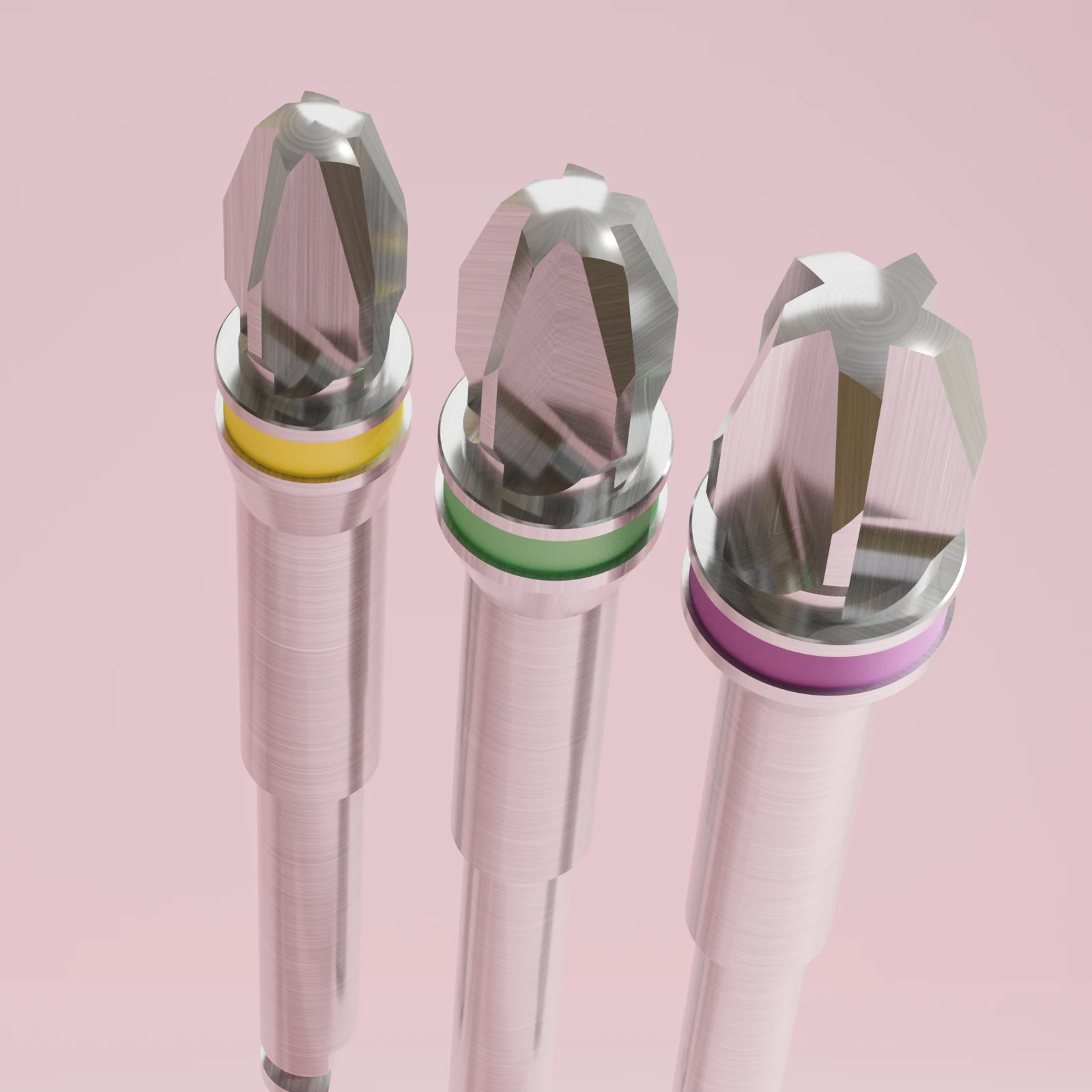
About the manual and the implant
These are the manufacturer’s recommended instructions for the surgical use of the NucleOSS Dental Implant System. Treatment and surgical planning should be based on clinical data and the clinician’s evaluation of the case.
- Connection: hexagonal internal connection; superstructures can be placed in 6 different indexes with 60° rotation.
- Abutment interface: a 20° angled contact zone.
- Thread: a double thread design.
Diameters, lengths and cover screws
| Length | Ø 3.5 | Ø 4.0 | Ø 4.5 | Ø 5.0 | Ø 6.0 |
|---|---|---|---|---|---|
| 6.5 mm | — | TRQ 40065 | TRQ 45065 | TRQ 50065 | TRQ 60065 |
| 8 mm | TRQ 3508 | TRQ 4008 | TRQ 4508 | TRQ 5008 | TRQ 6008 |
| 10 mm | TRQ 3510 | TRQ 4010 | TRQ 4510 | TRQ 5010 | TRQ 6010 |
| 12 mm | TRQ 3512 | TRQ 4012 | TRQ 4512 | TRQ 5012 | TRQ 6012 |
| 14 mm | TRQ 3514 | TRQ 4014 | TRQ 4514 | TRQ 5014 | — |
| 17 mm | TRQ 3517 | TRQ 4017 | TRQ 4517 | TRQ 5017 | — |
| Cover screw | T6 32150 | T6 32158 | T6 32157 | T6 32151 | T6 32152 |
The figure shows the recommended areas of use for each diameter. The clinician should evaluate the patient, the case and the intended final restoration before surgery; use outside the specified areas is at the clinician’s discretion and responsibility.
Implant package and transfer
T6 TorQ implants are supplied in a Tyvek sterile, leak-proof tube that includes the cover screw. The tube carries a diameter and length label and holds a lockable sterile hanger cap, the cover screw, the implant and a carrier hanger.
The product label shows the catalogue number (REF), label revision, lot number, implant diameter and length, the CE mark with the certification body’s number, the UDI, model, expiry date and the authorised representative.
- Remove the tube cover and place the carrier on a sterile drape.
- Seat the implant insertion tool precisely in the internal hex of the implant to transfer it from the plastic carrier to the mouth.
- To transfer the cover screw from the tube, insert the hex driver fully into the cover screw and pull it straight back along the same axis.
Caution. Once the carrier cover is opened, do not tilt the carrier more than 60 degrees, or the implant may fall out.
Before surgery
- Evaluate the patient with clinical and oral radiographic tests. Examine the mucous membrane, jaw morphology, dental history, prosthetic history and oral dysfunctional signs; use radiographic analysis for bone topography.
- If the patient is suitable, examine the treatment area and the opposing area in more detail. Treat any pathological condition in the jaw before the implant operation.
- Plan the intended final prosthetic treatment first, then decide the type and number of implants. Articulator-mounted models and wax modelling of the edentulous area support planning.
- Consider primary stability, single- or two-stage surgery, immediate placement after extraction and the expected recovery time before loading.
- Based on mechanical considerations, the largest diameter implant possible is recommended, especially in posterior areas where loading forces are higher.
- Explain the examination results, treatment method, expected result, required care and possible risks to the patient before treatment.
| Class | Description | Typical regions |
|---|---|---|
| D1 | Dense cortical | Anterior mandible |
| D2 | Porous cortical and thick trabecular | Anterior mandible, posterior mandible, anterior maxilla |
| D3 | Porous cortical and (thin) tight trabecular | Anterior maxilla, posterior mandible, posterior maxilla |
| D4 | Tight trabecular | Posterior maxilla |
Drilling protocol
Operate the drills with coolant at a maximum of 800 rpm.
All drills are designed for use with a micromotor and are colour-coded by diameter.
Preparing the implant socket
- Mark the position and drill axis with the point drill.
- Continue with the pilot drill for the implant length. Pilot drills have stoppers for each implant size, which keeps the following drills from going deeper.
- Check position and axis, then enlarge the slot gradually through the previous diameter drills until the final drill for the selected implant reaches its stopper.
- In D1/D2 bone, enlarge the slot with the hard bone drill after the standard final drill.
- Finish with the countersink drill to prevent jamming in the neck area.
Caution. The hard bone drill expands the slot after the standard final drill. Using it as a final drill straight after the previous diameter drill may damage the bone and the drill.
The socket opened by the drill is 0.7 mm longer than the implant length, to increase healthy bone formation in the neck area; for T6 standard short (L 6.5 mm) implants only, it is 0.5 mm longer. Bone level should be considered in surgical planning and practice.
Drill sequence by implant diameter (8 to 17 mm)
Find your drill sequence
Choose the implant and the bone type.
T6 Torq Ø 3.5 × 8 mm in D2, D3 or D4 bone: 4 drills, then the implant.
- 1 Point drill T0 25024
- 2 Ø 3.0 pilot drill T0 25043
- 3 Ø 3.5 final drill TRQ 25145
- 4 Ø 3.5 countersink TRQ 25150
- Place the implant TRQ 3508 Cover screw T6 32150
T6 Torq Ø 3.5 × 8 mm in D1 or D2 hard bone: 5 drills, then the implant.
- 1 Point drill T0 25024
- 2 Ø 3.0 pilot drill T0 25043
- 3 Ø 3.5 final drill TRQ 25145
- 4 Ø 3.5 hard bone drill TRQ 25149
- 5 Ø 3.5 countersink TRQ 25150
- Place the implant TRQ 3508 Cover screw T6 32150
T6 Torq Ø 3.5 × 10 mm in D2, D3 or D4 bone: 4 drills, then the implant.
- 1 Point drill T0 25024
- 2 Ø 3.0 pilot drill T0 25044
- 3 Ø 3.5 final drill TRQ 25146
- 4 Ø 3.5 countersink TRQ 25150
- Place the implant TRQ 3510 Cover screw T6 32150
T6 Torq Ø 3.5 × 10 mm in D1 or D2 hard bone: 5 drills, then the implant.
- 1 Point drill T0 25024
- 2 Ø 3.0 pilot drill T0 25044
- 3 Ø 3.5 final drill TRQ 25146
- 4 Ø 3.5 hard bone drill TRQ 25149
- 5 Ø 3.5 countersink TRQ 25150
- Place the implant TRQ 3510 Cover screw T6 32150
T6 Torq Ø 3.5 × 12 mm in D2, D3 or D4 bone: 4 drills, then the implant.
- 1 Point drill T0 25024
- 2 Ø 3.0 pilot drill T0 25045
- 3 Ø 3.5 final drill TRQ 25147
- 4 Ø 3.5 countersink TRQ 25150
- Place the implant TRQ 3512 Cover screw T6 32150
T6 Torq Ø 3.5 × 12 mm in D1 or D2 hard bone: 5 drills, then the implant.
- 1 Point drill T0 25024
- 2 Ø 3.0 pilot drill T0 25045
- 3 Ø 3.5 final drill TRQ 25147
- 4 Ø 3.5 hard bone drill TRQ 25149
- 5 Ø 3.5 countersink TRQ 25150
- Place the implant TRQ 3512 Cover screw T6 32150
T6 Torq Ø 3.5 × 14 mm in D2, D3 or D4 bone: 4 drills, then the implant.
- 1 Point drill T0 25024
- 2 Ø 3.0 pilot drill T0 25046
- 3 Ø 3.5 final drill TRQ 25148
- 4 Ø 3.5 countersink TRQ 25150
- Place the implant TRQ 3514 Cover screw T6 32150
T6 Torq Ø 3.5 × 14 mm in D1 or D2 hard bone: 5 drills, then the implant.
- 1 Point drill T0 25024
- 2 Ø 3.0 pilot drill T0 25046
- 3 Ø 3.5 final drill TRQ 25148
- 4 Ø 3.5 hard bone drill TRQ 25149
- 5 Ø 3.5 countersink TRQ 25150
- Place the implant TRQ 3514 Cover screw T6 32150
T6 Torq Ø 4.0 × 8 mm in D2, D3 or D4 bone: 5 drills, then the implant.
- 1 Point drill T0 25024
- 2 Ø 3.0 pilot drill T0 25043
- 3 Ø 3.5 final drill TRQ 25145
- 4 Ø 4.0 final drill TRQ 25087
- 5 Ø 4.0 countersink TRQ 25157
- Place the implant TRQ 4008 Cover screw T6 32158
T6 Torq Ø 4.0 × 8 mm in D1 or D2 hard bone: 6 drills, then the implant.
- 1 Point drill T0 25024
- 2 Ø 3.0 pilot drill T0 25043
- 3 Ø 3.5 final drill TRQ 25145
- 4 Ø 4.0 final drill TRQ 25087
- 5 Ø 4.0 hard bone drill TRQ 25059
- 6 Ø 4.0 countersink TRQ 25157
- Place the implant TRQ 4008 Cover screw T6 32158
T6 Torq Ø 4.0 × 10 mm in D2, D3 or D4 bone: 5 drills, then the implant.
- 1 Point drill T0 25024
- 2 Ø 3.0 pilot drill T0 25044
- 3 Ø 3.5 final drill TRQ 25146
- 4 Ø 4.0 final drill TRQ 25088
- 5 Ø 4.0 countersink TRQ 25157
- Place the implant TRQ 4010 Cover screw T6 32158
T6 Torq Ø 4.0 × 10 mm in D1 or D2 hard bone: 6 drills, then the implant.
- 1 Point drill T0 25024
- 2 Ø 3.0 pilot drill T0 25044
- 3 Ø 3.5 final drill TRQ 25146
- 4 Ø 4.0 final drill TRQ 25088
- 5 Ø 4.0 hard bone drill TRQ 25059
- 6 Ø 4.0 countersink TRQ 25157
- Place the implant TRQ 4010 Cover screw T6 32158
T6 Torq Ø 4.0 × 12 mm in D2, D3 or D4 bone: 5 drills, then the implant.
- 1 Point drill T0 25024
- 2 Ø 3.0 pilot drill T0 25045
- 3 Ø 3.5 final drill TRQ 25147
- 4 Ø 4.0 final drill TRQ 25051
- 5 Ø 4.0 countersink TRQ 25157
- Place the implant TRQ 4012 Cover screw T6 32158
T6 Torq Ø 4.0 × 12 mm in D1 or D2 hard bone: 6 drills, then the implant.
- 1 Point drill T0 25024
- 2 Ø 3.0 pilot drill T0 25045
- 3 Ø 3.5 final drill TRQ 25147
- 4 Ø 4.0 final drill TRQ 25051
- 5 Ø 4.0 hard bone drill TRQ 25059
- 6 Ø 4.0 countersink TRQ 25157
- Place the implant TRQ 4012 Cover screw T6 32158
T6 Torq Ø 4.0 × 14 mm in D2, D3 or D4 bone: 5 drills, then the implant.
- 1 Point drill T0 25024
- 2 Ø 3.0 pilot drill T0 25046
- 3 Ø 3.5 final drill TRQ 25148
- 4 Ø 4.0 final drill TRQ 25089
- 5 Ø 4.0 countersink TRQ 25157
- Place the implant TRQ 4014 Cover screw T6 32158
T6 Torq Ø 4.0 × 14 mm in D1 or D2 hard bone: 6 drills, then the implant.
- 1 Point drill T0 25024
- 2 Ø 3.0 pilot drill T0 25046
- 3 Ø 3.5 final drill TRQ 25148
- 4 Ø 4.0 final drill TRQ 25089
- 5 Ø 4.0 hard bone drill TRQ 25059
- 6 Ø 4.0 countersink TRQ 25157
- Place the implant TRQ 4014 Cover screw T6 32158
T6 Torq Ø 4.5 × 8 mm in D2, D3 or D4 bone: 6 drills, then the implant.
- 1 Point drill T0 25024
- 2 Ø 3.0 pilot drill T0 25043
- 3 Ø 3.5 final drill TRQ 25145
- 4 Ø 4.0 final drill TRQ 25087
- 5 Ø 4.5 final drill TRQ 25090
- 6 Ø 4.5 countersink TRQ 25158
- Place the implant TRQ 4508 Cover screw T6 32157
T6 Torq Ø 4.5 × 8 mm in D1 or D2 hard bone: 7 drills, then the implant.
- 1 Point drill T0 25024
- 2 Ø 3.0 pilot drill T0 25043
- 3 Ø 3.5 final drill TRQ 25145
- 4 Ø 4.0 final drill TRQ 25087
- 5 Ø 4.5 final drill TRQ 25090
- 6 Ø 4.5 hard bone drill TRQ 25060
- 7 Ø 4.5 countersink TRQ 25158
- Place the implant TRQ 4508 Cover screw T6 32157
T6 Torq Ø 4.5 × 10 mm in D2, D3 or D4 bone: 6 drills, then the implant.
- 1 Point drill T0 25024
- 2 Ø 3.0 pilot drill T0 25044
- 3 Ø 3.5 final drill TRQ 25146
- 4 Ø 4.0 final drill TRQ 25088
- 5 Ø 4.5 final drill TRQ 25091
- 6 Ø 4.5 countersink TRQ 25158
- Place the implant TRQ 4510 Cover screw T6 32157
T6 Torq Ø 4.5 × 10 mm in D1 or D2 hard bone: 7 drills, then the implant.
- 1 Point drill T0 25024
- 2 Ø 3.0 pilot drill T0 25044
- 3 Ø 3.5 final drill TRQ 25146
- 4 Ø 4.0 final drill TRQ 25088
- 5 Ø 4.5 final drill TRQ 25091
- 6 Ø 4.5 hard bone drill TRQ 25060
- 7 Ø 4.5 countersink TRQ 25158
- Place the implant TRQ 4510 Cover screw T6 32157
T6 Torq Ø 4.5 × 12 mm in D2, D3 or D4 bone: 6 drills, then the implant.
- 1 Point drill T0 25024
- 2 Ø 3.0 pilot drill T0 25045
- 3 Ø 3.5 final drill TRQ 25147
- 4 Ø 4.0 final drill TRQ 25051
- 5 Ø 4.5 final drill TRQ 25052
- 6 Ø 4.5 countersink TRQ 25158
- Place the implant TRQ 4512 Cover screw T6 32157
T6 Torq Ø 4.5 × 12 mm in D1 or D2 hard bone: 7 drills, then the implant.
- 1 Point drill T0 25024
- 2 Ø 3.0 pilot drill T0 25045
- 3 Ø 3.5 final drill TRQ 25147
- 4 Ø 4.0 final drill TRQ 25051
- 5 Ø 4.5 final drill TRQ 25052
- 6 Ø 4.5 hard bone drill TRQ 25060
- 7 Ø 4.5 countersink TRQ 25158
- Place the implant TRQ 4512 Cover screw T6 32157
T6 Torq Ø 4.5 × 14 mm in D2, D3 or D4 bone: 6 drills, then the implant.
- 1 Point drill T0 25024
- 2 Ø 3.0 pilot drill T0 25046
- 3 Ø 3.5 final drill TRQ 25148
- 4 Ø 4.0 final drill TRQ 25089
- 5 Ø 4.5 final drill TRQ 25092
- 6 Ø 4.5 countersink TRQ 25158
- Place the implant TRQ 4514 Cover screw T6 32157
T6 Torq Ø 4.5 × 14 mm in D1 or D2 hard bone: 7 drills, then the implant.
- 1 Point drill T0 25024
- 2 Ø 3.0 pilot drill T0 25046
- 3 Ø 3.5 final drill TRQ 25148
- 4 Ø 4.0 final drill TRQ 25089
- 5 Ø 4.5 final drill TRQ 25092
- 6 Ø 4.5 hard bone drill TRQ 25060
- 7 Ø 4.5 countersink TRQ 25158
- Place the implant TRQ 4514 Cover screw T6 32157
T6 Torq Ø 5.0 × 8 mm in D2, D3 or D4 bone: 7 drills, then the implant.
- 1 Point drill T0 25024
- 2 Ø 3.0 pilot drill T0 25043
- 3 Ø 3.5 final drill TRQ 25145
- 4 Ø 4.0 final drill TRQ 25087
- 5 Ø 4.5 final drill TRQ 25090
- 6 Ø 5.0 final drill TRQ 25093
- 7 Ø 5.0 countersink TRQ 25159
- Place the implant TRQ 5008 Cover screw T6 32151
T6 Torq Ø 5.0 × 8 mm in D1 or D2 hard bone: 8 drills, then the implant.
- 1 Point drill T0 25024
- 2 Ø 3.0 pilot drill T0 25043
- 3 Ø 3.5 final drill TRQ 25145
- 4 Ø 4.0 final drill TRQ 25087
- 5 Ø 4.5 final drill TRQ 25090
- 6 Ø 5.0 final drill TRQ 25093
- 7 Ø 5.0 hard bone drill TRQ 25061
- 8 Ø 5.0 countersink TRQ 25159
- Place the implant TRQ 5008 Cover screw T6 32151
T6 Torq Ø 5.0 × 10 mm in D2, D3 or D4 bone: 7 drills, then the implant.
- 1 Point drill T0 25024
- 2 Ø 3.0 pilot drill T0 25044
- 3 Ø 3.5 final drill TRQ 25146
- 4 Ø 4.0 final drill TRQ 25088
- 5 Ø 4.5 final drill TRQ 25091
- 6 Ø 5.0 final drill TRQ 25094
- 7 Ø 5.0 countersink TRQ 25159
- Place the implant TRQ 5010 Cover screw T6 32151
T6 Torq Ø 5.0 × 10 mm in D1 or D2 hard bone: 8 drills, then the implant.
- 1 Point drill T0 25024
- 2 Ø 3.0 pilot drill T0 25044
- 3 Ø 3.5 final drill TRQ 25146
- 4 Ø 4.0 final drill TRQ 25088
- 5 Ø 4.5 final drill TRQ 25091
- 6 Ø 5.0 final drill TRQ 25094
- 7 Ø 5.0 hard bone drill TRQ 25061
- 8 Ø 5.0 countersink TRQ 25159
- Place the implant TRQ 5010 Cover screw T6 32151
T6 Torq Ø 5.0 × 12 mm in D2, D3 or D4 bone: 7 drills, then the implant.
- 1 Point drill T0 25024
- 2 Ø 3.0 pilot drill T0 25045
- 3 Ø 3.5 final drill TRQ 25147
- 4 Ø 4.0 final drill TRQ 25051
- 5 Ø 4.5 final drill TRQ 25052
- 6 Ø 5.0 final drill TRQ 25053
- 7 Ø 5.0 countersink TRQ 25159
- Place the implant TRQ 5012 Cover screw T6 32151
T6 Torq Ø 5.0 × 12 mm in D1 or D2 hard bone: 8 drills, then the implant.
- 1 Point drill T0 25024
- 2 Ø 3.0 pilot drill T0 25045
- 3 Ø 3.5 final drill TRQ 25147
- 4 Ø 4.0 final drill TRQ 25051
- 5 Ø 4.5 final drill TRQ 25052
- 6 Ø 5.0 final drill TRQ 25053
- 7 Ø 5.0 hard bone drill TRQ 25061
- 8 Ø 5.0 countersink TRQ 25159
- Place the implant TRQ 5012 Cover screw T6 32151
T6 Torq Ø 5.0 × 14 mm in D2, D3 or D4 bone: 7 drills, then the implant.
- 1 Point drill T0 25024
- 2 Ø 3.0 pilot drill T0 25046
- 3 Ø 3.5 final drill TRQ 25148
- 4 Ø 4.0 final drill TRQ 25089
- 5 Ø 4.5 final drill TRQ 25092
- 6 Ø 5.0 final drill TRQ 25095
- 7 Ø 5.0 countersink TRQ 25159
- Place the implant TRQ 5014 Cover screw T6 32151
T6 Torq Ø 5.0 × 14 mm in D1 or D2 hard bone: 8 drills, then the implant.
- 1 Point drill T0 25024
- 2 Ø 3.0 pilot drill T0 25046
- 3 Ø 3.5 final drill TRQ 25148
- 4 Ø 4.0 final drill TRQ 25089
- 5 Ø 4.5 final drill TRQ 25092
- 6 Ø 5.0 final drill TRQ 25095
- 7 Ø 5.0 hard bone drill TRQ 25061
- 8 Ø 5.0 countersink TRQ 25159
- Place the implant TRQ 5014 Cover screw T6 32151
T6 Torq Ø 6.0 × 8 mm in D2, D3 or D4 bone: 8 drills, then the implant.
- 1 Point drill T0 25024
- 2 Ø 3.0 pilot drill T0 25043
- 3 Ø 3.5 final drill TRQ 25145
- 4 Ø 4.0 final drill TRQ 25087
- 5 Ø 4.5 final drill TRQ 25090
- 6 Ø 5.0 final drill TRQ 25093
- 7 Ø 6.0 final drill TRQ 25096
- 8 Ø 6.0 countersink TRQ 25160
- Place the implant TRQ 6008 Cover screw T6 32152
T6 Torq Ø 6.0 × 8 mm in D1 or D2 hard bone: 9 drills, then the implant.
- 1 Point drill T0 25024
- 2 Ø 3.0 pilot drill T0 25043
- 3 Ø 3.5 final drill TRQ 25145
- 4 Ø 4.0 final drill TRQ 25087
- 5 Ø 4.5 final drill TRQ 25090
- 6 Ø 5.0 final drill TRQ 25093
- 7 Ø 6.0 final drill TRQ 25096
- 8 Ø 6.0 hard bone drill TRQ 25062
- 9 Ø 6.0 countersink TRQ 25160
- Place the implant TRQ 6008 Cover screw T6 32152
T6 Torq Ø 6.0 × 10 mm in D2, D3 or D4 bone: 8 drills, then the implant.
- 1 Point drill T0 25024
- 2 Ø 3.0 pilot drill T0 25044
- 3 Ø 3.5 final drill TRQ 25146
- 4 Ø 4.0 final drill TRQ 25088
- 5 Ø 4.5 final drill TRQ 25091
- 6 Ø 5.0 final drill TRQ 25094
- 7 Ø 6.0 final drill TRQ 25054
- 8 Ø 6.0 countersink TRQ 25160
- Place the implant TRQ 6010 Cover screw T6 32152
T6 Torq Ø 6.0 × 10 mm in D1 or D2 hard bone: 9 drills, then the implant.
- 1 Point drill T0 25024
- 2 Ø 3.0 pilot drill T0 25044
- 3 Ø 3.5 final drill TRQ 25146
- 4 Ø 4.0 final drill TRQ 25088
- 5 Ø 4.5 final drill TRQ 25091
- 6 Ø 5.0 final drill TRQ 25094
- 7 Ø 6.0 final drill TRQ 25054
- 8 Ø 6.0 hard bone drill TRQ 25062
- 9 Ø 6.0 countersink TRQ 25160
- Place the implant TRQ 6010 Cover screw T6 32152
T6 Torq Ø 6.0 × 12 mm in D2, D3 or D4 bone: 8 drills, then the implant.
- 1 Point drill T0 25024
- 2 Ø 3.0 pilot drill T0 25045
- 3 Ø 3.5 final drill TRQ 25147
- 4 Ø 4.0 final drill TRQ 25051
- 5 Ø 4.5 final drill TRQ 25052
- 6 Ø 5.0 final drill TRQ 25053
- 7 Ø 6.0 final drill TRQ 25058
- 8 Ø 6.0 countersink TRQ 25160
- Place the implant TRQ 6012 Cover screw T6 32152
T6 Torq Ø 6.0 × 12 mm in D1 or D2 hard bone: 9 drills, then the implant.
- 1 Point drill T0 25024
- 2 Ø 3.0 pilot drill T0 25045
- 3 Ø 3.5 final drill TRQ 25147
- 4 Ø 4.0 final drill TRQ 25051
- 5 Ø 4.5 final drill TRQ 25052
- 6 Ø 5.0 final drill TRQ 25053
- 7 Ø 6.0 final drill TRQ 25058
- 8 Ø 6.0 hard bone drill TRQ 25062
- 9 Ø 6.0 countersink TRQ 25160
- Place the implant TRQ 6012 Cover screw T6 32152
With coolant, at a maximum of 800 rpm. 6.5 mm and 17 mm implants follow their own protocols, below.
| Implant | D2/D3/D4 bone | D1/D2 hard bone |
|---|---|---|
| Ø 3.5 | Point drill → Ø 3.0 pilot → Ø 3.5 final → Ø 3.5 countersink | Point drill → Ø 3.0 pilot → Ø 3.5 final → Ø 3.5 hard bone → Ø 3.5 countersink |
| Ø 4.0 | Point drill → Ø 3.0 pilot → Ø 3.5 final → Ø 4.0 final → Ø 4.0 countersink | Point drill → Ø 3.0 pilot → Ø 3.5 final → Ø 4.0 final → Ø 4.0 hard bone → Ø 4.0 countersink |
| Ø 4.5 | Point drill → Ø 3.0 pilot → Ø 3.5 final → Ø 4.0 final → Ø 4.5 final → Ø 4.5 countersink | Point drill → Ø 3.0 pilot → Ø 3.5 final → Ø 4.0 final → Ø 4.5 final → Ø 4.5 hard bone → Ø 4.5 countersink |
| Ø 5.0 | Point drill → Ø 3.0 pilot → Ø 3.5 final → Ø 4.0 final → Ø 4.5 final → Ø 5.0 final → Ø 5.0 countersink | Point drill → Ø 3.0 pilot → Ø 3.5 final → Ø 4.0 final → Ø 4.5 final → Ø 5.0 final → Ø 5.0 hard bone → Ø 5.0 countersink |
| Ø 6.0 | Point drill → Ø 3.0 pilot → Ø 3.5 final → Ø 4.0 final → Ø 4.5 final → Ø 5.0 final → Ø 6.0 final → Ø 6.0 countersink | Point drill → Ø 3.0 pilot → Ø 3.5 final → Ø 4.0 final → Ø 4.5 final → Ø 5.0 final → Ø 6.0 final → Ø 6.0 hard bone → Ø 6.0 countersink |
- The point drill is the first drill that must be used in every protocol.
- For soft bone types, only the pilot and final drill lengths differ for 8, 10, 12, 14 and 17 mm implants.
- For 17 mm implants, the hard bone drill is the final drill for all bone types (D1/D2/D3/D4).
- Place the implant with the transfer and tightening parts; each sequence ends with the cover screw for that diameter.
- The protocol is different for L 6.5 mm implants (see below).
6.5 mm implants
- Mark the position and drill axis with the point drill (the caution on this page gives a slot 14 mm long, Ø 2.10 mm).
- Use the pilot drill, then enlarge the slot gradually with the diameter drills until the 6.5 mm final drill for the selected implant: Ø 4.0, Ø 4.5, Ø 5.0 or Ø 6.0.
The 6.5 mm final drills are short implant drills included in the T6 TorQ surgical set. They have stoppers and there is a separate drill for each diameter. The figure shows the same sequence for D1, D2, D3 and D4 bone, with the top of the implant 0.7 mm below bone level. Operate the drills with coolant at a maximum of 800 rpm.
Pilot drills
The pilot drill is the first osteotomy drill that must be used after the initial drills in every protocol. It is in both the T6 Standard and T6 TorQ surgical kits.
| Implant length | Reference | Length marking | Diameter |
|---|---|---|---|
| 6.5 mm | T0 25039 | L: 6.5+1 mm | Ø 2.45 mm |
| 8 mm | T0 25043 | L: 8.0+1 mm | Ø 2.95 mm |
| 10 mm | T0 25044 | L: 10.0+1 mm | Ø 2.95 mm |
| 12 mm | T0 25045 | L: 12.0+1 mm | Ø 3.0 mm |
| 14 mm | T0 25046 | L: 14.0+1 mm | Ø 3.0 mm |
| 17 mm | T0 25020 | L: 17.0+1 mm | Ø 3.0 mm |
Final drills
Final drills have stoppers and come in five lengths: 6.5, 8, 10, 12 and 14 mm (Ø 6.0: up to 12 mm). All drills are designed 1 mm longer than the implant length.
For 17 mm implants, the hard bone drill is used.
| Implant length | Ø 3.5 | Ø 4.0 | Ø 4.5 | Ø 5.0 | Ø 6.0 | Drill length |
|---|---|---|---|---|---|---|
| 6.5 mm | T6 25040 | TRQ 25047 | TRQ 25048 | TRQ 25049 | TRQ 25050 | L: 7.5 |
| 8 mm | TRQ 25145 | TRQ 25087 | TRQ 25090 | TRQ 25093 | TRQ 25096 | L: 9.0 |
| 10 mm | TRQ 25146 | TRQ 25088 | TRQ 25091 | TRQ 25094 | TRQ 25054 | L: 11.0 |
| 12 mm | TRQ 25147 | TRQ 25051 | TRQ 25052 | TRQ 25053 | TRQ 25058 | L: 13.0 |
| 14 mm | TRQ 25148 | TRQ 25089 | TRQ 25092 | TRQ 25095 | — | L: 15.0 |
Hard bone drills and countersinks
- Hard bone drills are used after the final drills in D1/D2 bone. They widen the cavity by 0.2 mm so the implant advances more easily and with less stress.
- Hard bone drills are also used to place 17 mm implants. They are approximately 1 mm longer than the implant length; the figure marks L 9, 11, 13, 15 and 18 mm.
- Even after a hard bone drill in D1/D2 bone, a countersink should definitely be used afterwards; otherwise resorption may occur due to stress.
- The countersink prevents the implant from sticking in the neck area and provides passive seating. The kit has countersinks for the full range of T6 implant diameters.
| Implant | Hard bone drill | Countersink | Countersink dimension marked |
|---|---|---|---|
| Ø 3.5 | TRQ 25149 | TRQ 25150 | 5.91 mm |
| Ø 4.0 | TRQ 25059 | TRQ 25157 | 5.91 mm |
| Ø 4.5 | TRQ 25060 | TRQ 25158 | 5.71 mm |
| Ø 5.0 | TRQ 25061 | TRQ 25159 | 5.70 mm |
| Ø 6.0 | TRQ 25062 | TRQ 25160 | 5.70 mm |
Drill and implant dimensions
Each final or hard bone drill is compared with the implant below. Only the drill body diameter is labelled; the other columns describe where each value appears.
| Implant | Bone | Drill shown | Drill body diameter | Inner diameter marked on implant | Offset marked | Diameter marked under drill |
|---|---|---|---|---|---|---|
| Ø 3.5 | D2/D3/D4 | T6 25148 | Ø 2.70 mm | Ø 2.70 mm | 0 mm | Ø 2.8 mm |
| Ø 3.5 | D1 | TRQ 25149 | Ø 3.30 mm | Ø 2.70 mm | 0.3 mm | Ø 3.3 mm |
| Ø 4.0 | D2/D3/D4 | TRQ 25089 | Ø 3.00 mm | Ø 2.80 mm | 0.1 mm | Ø 3.0 mm |
| Ø 4.0 | D1 | TRQ 25059 | Ø 3.6 mm | Ø 2.80 mm | 0.4 mm | Ø 3.6 mm |
| Ø 4.5 | D2/D3/D4 | T6 25091 | Ø 3.7 mm | Ø 3.3 mm | 0.2 mm | Ø 3.7 mm |
| Ø 4.5 | D1 | TRQ 25060 | Ø 4.0 mm | Ø 3.3 mm | 0.35 mm | Ø 4.0 mm |
| Ø 5.0 | D2/D3/D4 | T6 25094 | Ø 4.2 mm | Ø 3.8 mm | 0.2 mm | Ø 4.2 mm |
| Ø 5.0 | D1 | TRQ 25061 | Ø 4.5 mm | Ø 3.8 mm | 0.35 mm | Ø 4.5 mm |
| Ø 6.0 | D2/D3/D4 | T6 25054 | Ø 5.2 mm | Ø 4.7 mm | 0.25 mm | Ø 5.2 mm |
| Ø 6.0 | D1 | TRQ 25062 | Ø 5.6 mm | Ø 4.7 mm | 0.45 mm | Ø 5.6 mm |
| Implant | Drill shown | Drill body diameter | Upper inner diameter on implant | Offset marked | Lower diameter on implant | Drill tip length | Tip a | Tip b |
|---|---|---|---|---|---|---|---|---|
| Ø 4.0 | T6 25047 | Ø 3.60 mm | Ø 3.35 mm | 0.13 mm | Ø 3.40 mm | L: 7.6 mm | Ø 2.40 mm | Ø 3.60 mm |
| Ø 4.5 | T6 25048 | Ø 4.10 mm | Ø 3.35 mm | 0.25 mm | Ø 3.20 mm | L: 7.5 mm | Ø 3.20 mm | Ø 4.10 mm |
| Ø 5.0 | T6 25049 | Ø 4.90 mm | Ø 4.30 mm | 0.2 mm | Ø 3.40 mm | L: 7.6 mm | Ø 3.40 mm | Ø 4.90 mm |
| Ø 6.0 | T6 25050 | Ø 5.70 mm | Ø 4.90 mm | 0.35 mm | Ø 4.60 mm | L: 7.60 mm | Ø 3.40 mm | Ø 4.90 mm |
Implant transfer and insertion
| Reference | Used with | Length |
|---|---|---|
| T6 25213 | Micromotor | Long |
| T6 25214 | Micromotor | Short |
| T6 25215 | Ratchet | Long |
| T6 25216 | Ratchet | Short |
- Check that the PEEK ring on the tip of the transfer part is present before picking up the implant.
- Seat the transfer part in the implant in the exact, correct position. Otherwise the implant may fall or the implant hex may be damaged.
- Turn the dots on the transfer part towards the vestibule, so the flat of the implant hex faces the vestibule. With angled abutments, the hex flat faces the angle axis.
- Place the implant in the prepared socket as soon as possible, without touching it.
- Insert clockwise with a micromotor at a maximum of 15 rpm, or with a manual hex driver, until the top of the implant is 0.7 mm below bone level.
- Keep pressure on the transfer part during insertion so it does not come out of the hex socket.
Caution. If the dots are ignored, the hex flat will face mesially or distally and a standard abutment will be positioned incorrectly.
For insertion torque, see the implant instructions for use.
Surgical kit and instruments
- Kit reference: CRH-115 T6 Torq Surgical Kit (the T6 Standard Surgical Kit is CRH-109).
- Two parts: a movable middle shelf for drills and tightening parts, and a lower section for the torque ratchet and hand tools. The bottom holds the depth gauge (T0 25312), torque ratchet (T0 25900) and screwdriver (T0 2022).
- The kit can be autoclaved as one piece. The plastic is stated to withstand more than 1000 steam sterilisation cycles. The cover opens to 90° or 210° and locks the contents when closed.
Point, round and Lindemann drills
| Instrument | Reference | Dimensions marked | Use |
|---|---|---|---|
| Point drill | T0 25024 | 30 mm, 9 mm, Ø 2.40 mm | Marks the implant position and lets the next drill advance; first drill after any round-drill correction |
| Round drill | T0 0103 | Ø 3.10 mm | Corrects a damaged or irregular bone surface at the start of the osteotomy |
| Lindemann drill | T0 25163 | Ø 2.20 mm, Ø 1.90 mm, 12.60 mm | After point drilling, to bring the implant site to the correct angle; side-cutting |
| Drill extender | T0 2012-1 | Adds approximately 16 mm | Extends drill length where the drill is too short or the micromotor cannot reach |
Caution. The Lindemann drill is recommended at 1200–1500 rpm, and cooling is absolutely necessary.
Caution. Drills must be correctly attached to the micromotor and should not be operated until they are properly seated.
Parallel and angled pins
| Pin | Reference | Dimensions | Use |
|---|---|---|---|
| Parallel pin, lower (Ø 2.0 mm) end | T0 25320 | Ø 2.0 mm, 8 mm | Check after the point drill |
| Parallel pin, Ø 2.5 mm end | T0 25320 | Ø 2.5 mm, 9 mm | Check after the pilot drill |
| 17° angled pin | T0 25305 | Ø 2.3 mm, L: 11.60 mm | Check the angle for multi-unit abutments, after the pilot drill |
| 30° angled pin | T0 25306 | Ø 2.3 mm, L: 11.60 mm | Check the angle for multi-unit abutments, after the pilot drill |
Parallel pins check parallelism with adjacent teeth for single implants and between cavities for multiple implants. T6 surgical sets have four parallel pins.
- Open a 90° vertical reference slot with the point and pilot (Ø 3.0 mm) drills near the planned implant site.
- Place the 17° or 30° pin in the reference slot.
- Using the pin as a guide, open the implant slot with the point and pilot (Ø 3.0 mm) drills, follow the drill protocol and place the implant.
- Place the angled multi-unit abutment with its platform parallel to the bone surface and fix it with the M1.6 multi-unit connection screw (16008).
Bone profiler
Uneven bone around the implant neck can stop the abutment seating properly, which may cause the abutment or connecting screw to break. The bone profiler is used before the abutment is placed: T0 25032 (Ø 4.90 mm) and T0 25064 (Ø 6.40 mm).
- Place the bone profiler on the guide pin before starting the micromotor, and clean the uneven bone around the implant neck.
- Cool the bone surface with water while the drill runs.
- Check the abutment on the implant.
Hex drivers, tightening parts and adapter
| Part | Reference | Use |
|---|---|---|
| Manual hex driver | T0 25251 | Carrying screws and healing caps, light tightening; up to 10 Ncm, never final torque |
| Micromotor hex driver | T0 2009 | Carrying screws and healing caps, light tightening; up to 10 Ncm, never final torque |
| Short hex driver (ratchet), L: 12 mm | T0 2024 | Final torque with the NucleOSS ratchet only; no retention, not for carrying |
| Long hex driver (ratchet), L: 15.5 mm | T0 2025 | Final torque with the NucleOSS ratchet only; no retention, not for carrying |
| Ball abutment tightening part (O-ring) | T0 25205 | Ball abutments; ratchet or screwdriver |
| Multi-unit abutment tightening part | T0 25206 | Multi-unit straight abutments; ratchet or screwdriver |
| Adapter | T0 25212 | Lets the multi-unit and O-ring tightening parts be used with a micromotor |
| Slimex carrying part, micromotor | T0 2008 | Slimex implants |
| Slimex carrying part, ratchet, long | T0 2005-1 | Slimex implants |
| Slimex carrying part, ratchet, short | T0 2006-1 | Slimex implants |
Caution. Never apply final torque with the manual or micromotor hex drivers: the screw’s hex slot or the driver tip may be damaged.
Caution. Torque the multi-unit straight abutment to a maximum of 30 Ncm; a lower or higher torque may loosen or break the abutment.
Caution. Torque the multi-unit angled abutment connection screw and the ball abutment to a maximum of 30 Ncm with the NucleOSS ratchet.
A PEEK ring on the tip of the Slimex insertion drivers stops the implant falling during transfer; check that it is in place and undamaged before use.
Depth gauge, screwdriver and torque ratchet
| Instrument | Reference | Specification |
|---|---|---|
| Depth gauge, thin end | T0 25312 | Ø 1.8 mm; socket depth marks 6.5, 8.0, 10.0, 12.0, 14.0 and 17.0 mm, used after the pilot drills |
| Depth gauge, thick end | T0 25312 | Gingival height marks 1.0 to 6.0 mm, for choosing the abutment |
| Screwdriver | T0 2022 | L: 13.80 cm, Ø 7.8 mm |
| Torque ratchet | T0 25900 | 0 to 70 Ncm; about 80 Ncm with the needle at the top |
- The screwdriver is an alternative to the ratchet for implant carrying parts, hex drivers and the screw-retained and ball abutment tightening parts, and is convenient in the anterior maxilla. Keep it aligned with the socket axis, or the implant may be damaged or the transfer part may break.
- Torque setting: hold the ratchet by pressing the wheel, then pull the torque arm lightly in the direction of the arrow to the required value. Do not turn the arm beyond the values on the ratchet, or the torque will be incorrect.
- Without torque: hold the torque arm and needle together and press the wheel.
- The direction arrow points up for tightening and down for loosening and removal.
Tightening torque values
Both torque tables apply to the T0 25900 torque ratchet.
| Product | Tightening parts | Torque |
|---|---|---|
| Implant cover screws and sinus caps | T0 2024 short or T0 2025 long (ratchet); T0 25251 manual hex driver | Manual or ratchet (10 Ncm with a ratchet) |
| Gingiva formers | T0 2024 short or T0 2025 long (ratchet); T0 25251 manual hex driver | Manual or ratchet (10 Ncm with a ratchet) |
| Connection screws of PEEK parts | T0 2024 short or T0 2025 long (ratchet); T0 25251 manual hex driver | Manual or ratchet (10 Ncm with a ratchet) |
| All cemented abutment screws | T0 2024 short or T0 2025 long (ratchet); T0 25251 manual hex driver | Max. 30 Ncm |
| Cast abutment screws | T0 2024 short or T0 2025 long (ratchet); T0 25251 manual hex driver | Max. 30 Ncm |
| CAD/CAM Ti-Base abutment screws | T0 2024 short or T0 2025 long (ratchet); T0 25251 manual hex driver | Max. 30 Ncm |
| Product | Tightening parts | Torque |
|---|---|---|
| Ball abutment | T0 25205 ball abutment tightening part | Max. 30 Ncm |
| Equator abutment | 774CHE Equator abutment tightening part | Max. 30 Ncm |
| Multi-unit straight abutments | T0 25206 multi-unit abutment tightening part | Max. 30 Ncm |
| Multi-unit angled (17° / 30°) abutment screws | T0 2024 short or T0 2025 long (ratchet); T0 25251 manual hex driver | Max. 30 Ncm |
| Parts installed on the multi-unit | T0 2024 short or T0 2025 long (ratchet); T0 25251 manual hex driver | Max. 10 Ncm |
| Occlusal screws attached to the prosthesis (two set-ups shown) | T0 2024 short or T0 2025 long (ratchet); T0 25251 manual hex driver | Max. 20 Ncm |
Healing, loading and the cover screw
- The recommended healing period before loading is 12 weeks, unless the clinician takes a different medical decision.
- The clinician should set the loading time for each implant after examining bone quality, quantity, density, primary stability, restoration type and loading conditions.
- Each implant tube includes its cover screw.
- The cover screw references by diameter are in the dimensions table above.
- Pick the cover screw out of the tube by fully inserting the hex driver and pulling straight back along the same axis.
Cleaning, sterilisation and storage of the instruments
- Drill cutting performance falls after a number of uses; the maximum for NucleOSS drills is 15 uses.
- Do not let blood, bone or tissue residue dry on an instrument; clean immediately after surgery with soft brushes only, removing detachable parts where needed.
- Never disinfect, clean (including ultrasonic) or sterilise instruments of different materials together. Rinse cleaning agents off thoroughly with water and never store instruments wet.
- Non-sterile surgical instruments must not be used. Sterilise the cleaned, dried instruments in their slots in the kit, in an autoclave bag; do not stack boxes during sterilisation.
- For cleaning and disinfection details, see the D006 NucleOSS surgical instruments manual.
| Parameter | Value |
|---|---|
| Method | Moist heat sterilisation according to ISO 17665:2024 |
| Cycle | Pre-vacuum |
| Temperature | 134°C / 273.2°F |
| Exposure time | 3 minutes |
| Pressure | 2.2 bar |
| Pre-vacuum | 3 times < 60 mbar |
| Minimum drying time | 60 minutes in the enclosed chamber |
After sterilisation, store the instruments in a dry, dark place such as a closed cupboard or drawer.